Is Zoho One Suitable for Large Enterprises? Capabilities, Limitations and Use Cases
- Zoho One for large enterprises can connect sales, finance, HR, marketing, customer support, and operations through a broad business application suite.
- Its biggest advantages are software consolidation, centralized user administration, workflow automation, and improved visibility across departments.
- Enterprise suitability depends on integration requirements, security policies, reporting needs, data volumes, and business complexity.
- Some organizations will need additional ERP software, custom applications, middleware, or specialist implementation services.
- A controlled pilot with measurable success criteria is the safest way to assess whether Zoho One fits your organization.
Is Zoho One Suitable for Large Enterprises?
Yes, Zoho One can be suitable for large enterprises, particularly those seeking connected business applications, more consistent workflows, and fewer disconnected software tools. However, it is not a universal replacement for every enterprise system. Organizations with complex ERP requirements, extensive legacy infrastructure, or demanding global governance needs should validate the platform against their actual requirements before purchasing it.
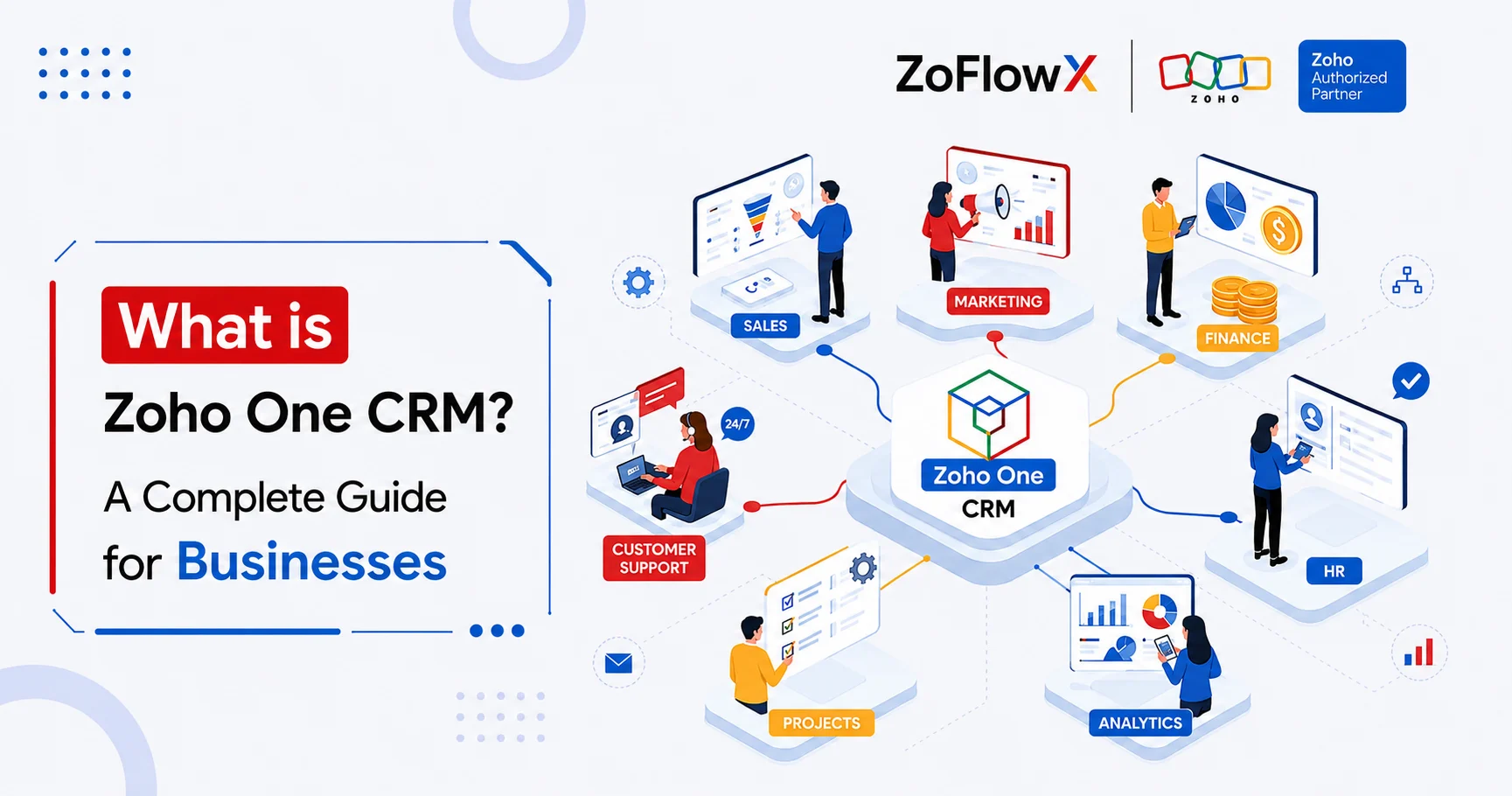
Zoho One is a business software suite that brings together applications for sales, finance, HR, marketing, customer support, collaboration, and other business functions. It can help organizations manage several operations within one ecosystem instead of maintaining an entirely separate software stack for every department.
For example, a multi-location services company might use Zoho CRM to manage sales, Zoho Books for accounting, Zoho People for HR processes, and Zoho Desk for customer support. Connecting these functions can reduce duplicate data entry and improve coordination.
The key question is not how many applications Zoho One includes. It is whether the suite can support your business processes reliably, securely, and at a reasonable total cost.
What Are the Main Zoho One Enterprise Capabilities?
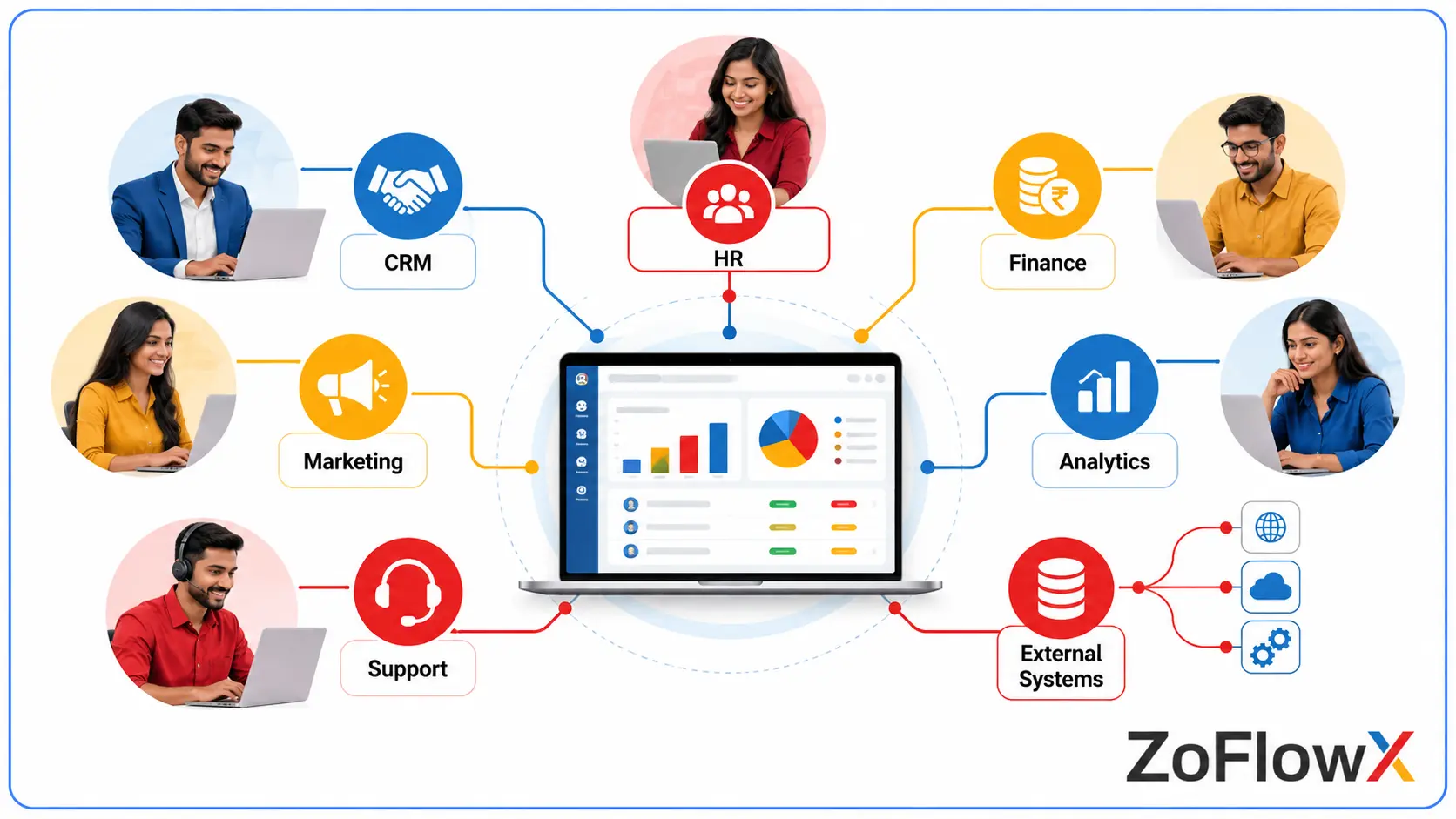
Zoho One offers a broad range of business applications, although exact features and limits depend on the individual application, subscription, and configuration.
Can Zoho One manage multiple departments?
Yes. Zoho One can support multiple departments through applications such as Zoho CRM, Zoho Books, Zoho People, Zoho Desk, and Zoho Projects.
Consider a company with 800 employees across five departments. Sales could manage opportunities in CRM, finance could handle invoices in Books, HR could manage employee processes in People, and customer support could track cases in Desk.
The advantage is the opportunity to create connected processes instead of forcing employees to transfer information manually. However, shared software does not automatically create shared business rules. Each department still needs clear data ownership, permissions, and responsibilities.
Does Zoho One support complex business workflows?
Zoho One supports workflow rules, approval processes, and automation capabilities across its applications. Depending on the requirements, businesses can also use Zoho Creator, APIs, and integration tools to connect more specialized processes.
For example, when a sales opportunity is marked as won, the system could initiate customer onboarding tasks, notify finance, and create a project for the delivery team. The exact implementation depends on available triggers, permissions, and the applications involved.
The best approach is to automate a process that has already been clearly defined. Otherwise, automation may simply reproduce existing confusion more quickly.
What customization options are available?
Zoho applications provide configuration options, custom fields, workflow rules, and other tools for adapting business processes. Zoho Creator can help build custom applications when standard features do not cover a requirement.
A logistics company, for instance, might need a vehicle inspection form that sends an exception to a supervisor and records the outcome. A custom application could support that process and connect it to other business systems where appropriate.
Before developing a custom solution, check whether standard functionality can meet the requirement. Excessive customization increases testing, documentation, maintenance, and support costs.
Can Zoho One improve enterprise reporting?
Yes, Zoho applications offer reporting capabilities, and Zoho Analytics can support broader analysis when the required data is available and connected correctly.
Suppose leadership wants to compare regional sales, overdue invoices, customer complaints, and project delivery. The information may come from different applications, each with its own data structure and definitions.
To create reliable management dashboards, define common metrics, identify the source of truth for each measure, and validate how records are synchronized. Without these steps, a dashboard can look impressive while presenting inconsistent figures.
Is Zoho One Scalable for Large Organizations?
Zoho One can support organizational growth, but scalability depends on application-specific limits, data volumes, transaction patterns, integrations, and performance requirements. Employee count alone cannot establish whether a proposed implementation will work well.
A company with thousands of employees and relatively standard sales processes has different requirements from a manufacturer processing large transaction volumes across several countries.
Before deployment, evaluate:
- User growth: Can onboarding, permissions, and administration remain manageable as teams expand?
- Data volumes: Do the relevant applications support expected record counts, storage, and reporting needs?
- Performance: Do critical screens, reports, and automations meet agreed response-time targets?
- Integration capacity: Can API limits and synchronization schedules support peak workloads?
- Business continuity: Are backup, recovery, incident response, and service availability requirements covered?
For example, if a regional sales report slows down as records increase, investigate the report design, data structure, and integration workload before assuming that the whole platform is unsuitable.
A controlled pilot should test realistic workloads, peak usage, and important business processes. It is also worth documenting the conditions under which the organization would need a different architecture.
Not Sure If Zoho One Fits Your Enterprise?
Connect your business applications with workflows designed around your enterprise needs.
Book a MeetingHow Strong Are Zoho One Security and Access Controls?
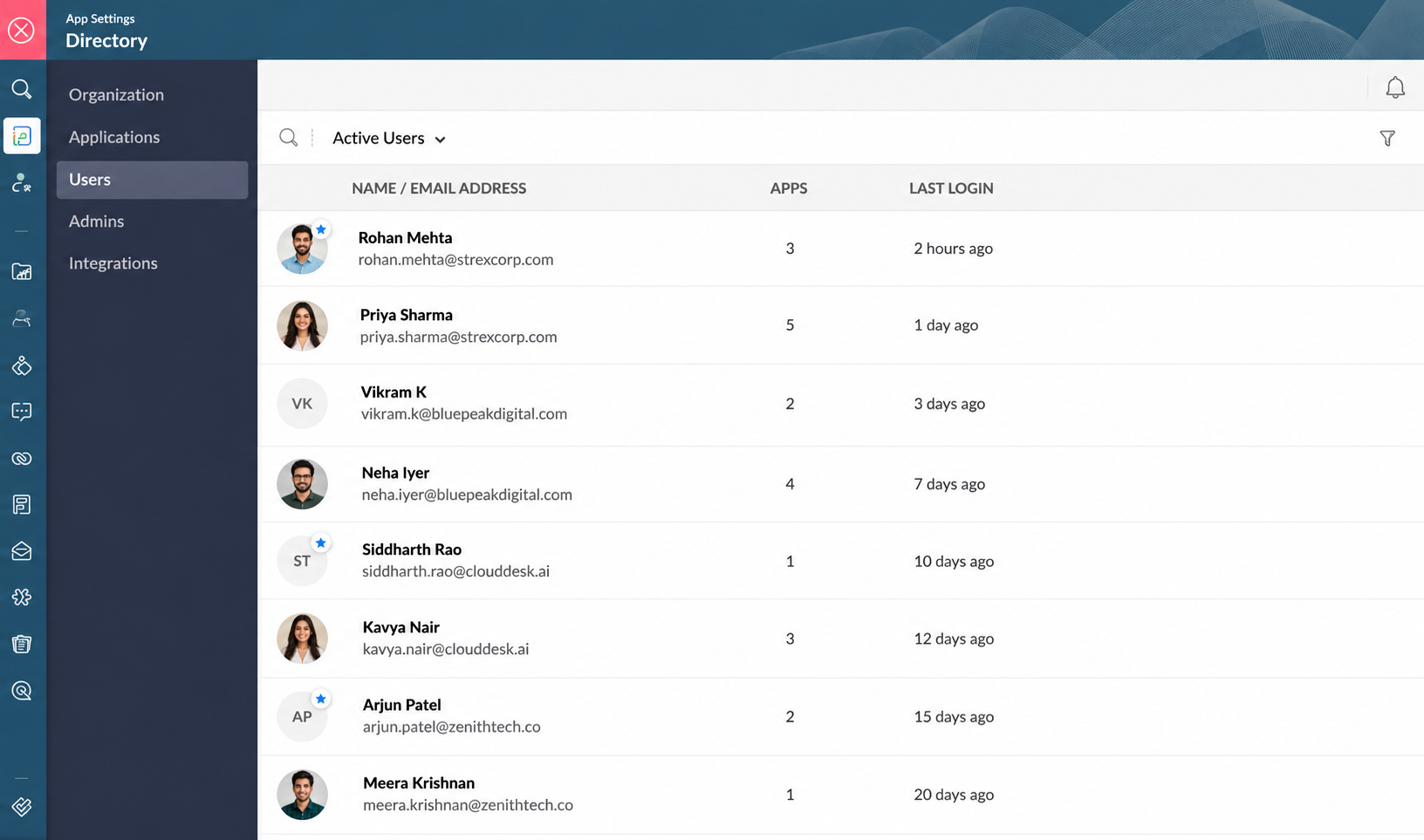
Zoho One offers centralized user administration and security-management capabilities, including user roles and supported security policies. However, enterprise security depends on the controls available in each application, the organization's configuration, and its internal governance requirements.
IT leaders should assess the following before implementation:
- Role-based access: Employees should access only the information required for their responsibilities.
- Administrative separation: HR, finance, CRM, and IT may need different administrator roles.
- Employee offboarding: Access should be removed promptly when someone leaves or changes roles.
- Authentication: Verify available multifactor authentication and single sign-on options.
- Auditability: Confirm that relevant logs and activity records meet investigation and review requirements.
- Compliance: Validate applicable data residency, retention, regulatory, and contractual requirements.
Consider an employee transferring from sales to finance. The access review should remove unnecessary CRM permissions and grant the appropriate finance access without leaving old privileges behind.
Do not assume centralized administration eliminates every application-level security task. Review the exact controls needed and test important access changes before rollout.
Can Zoho One Integrate With Existing Enterprise Systems?
Yes, Zoho One can connect with supported external applications and systems, but the work involved depends on compatibility, data complexity, and the required business rules.
Organizations already using SAP, Oracle, Microsoft applications, a legacy ERP, or industry-specific software should determine which systems will remain and which responsibilities Zoho One will take over.
For example, a manufacturer might want CRM customer records to connect with its existing ERP. Before building the integration, the team must decide which system owns customer details, how order updates move between systems, and what happens when a transfer fails.
Review these integration requirements:
- Connector availability for the exact application and version.
- API access, permissions, and rate limits.
- Data mapping, identifiers, currencies, and record ownership.
- Error detection, retry handling, and monitoring.
- Maintenance responsibilities when either system changes.
- Additional costs for middleware, third-party connectors, or custom development.
A connector that works for a simple process may not be sufficient for a high-volume, business-critical integration. Test the most important data flow end to end before approving a larger rollout.
What Are the Main Zoho One Limitations for Enterprises?
Zoho One has significant capabilities, but it should not be treated as a universal replacement for every enterprise platform.
1. Specialized ERP requirements
Businesses with advanced manufacturing, complex supply-chain planning, or highly specialized financial processes may need a dedicated ERP. Zoho One may complement that platform rather than replace it.
2. Cross-application complexity
Applications can differ in their data models, permissions, automation options, and reporting behavior. Processes that cross several applications need careful design and testing.
3. Advanced customization
Custom applications and API-based development can address many gaps, but custom solutions introduce maintenance responsibilities. Organizations need documentation, testing, and a clear support owner.
4. Integration and reporting gaps
Some organizations will need middleware, a data warehouse, or custom reporting to connect information that is not available through standard integrations.
5. Multi-entity governance
Organizations with separate legal entities, regional policies, or strict data boundaries must confirm that the required controls can be implemented correctly.
These are risks to evaluate, not proof that Zoho One cannot support a large business. The important distinction is between what the suite provides directly and what requires additional software, development, or ongoing support.
How Much Does Zoho One Cost for Large Businesses?
Zoho One pricing for enterprises should be evaluated using total cost of ownership, not just the subscription fee. Implementation, data migration, integrations, training, customization, administration, and support can all affect the final investment.
The applicable price depends on the region, billing terms, licensing model, user requirements, and any additional products or services. Confirm current pricing and contract conditions directly with Zoho before preparing a business case.
Build a cost estimate covering:
- Subscription fees and the chosen licensing model.
- Third-party applications, paid extensions, and middleware.
- Implementation, migration, and integration testing.
- Custom development and future maintenance.
- Employee training and change management.
- Ongoing administration and support.
- Potential savings from retiring overlapping software subscriptions.
For a more detailed breakdown, see Zoho One pricing, plans, and implementation costs.
How can a business calculate Zoho One ROI?
Start with the organization's current software costs and the time employees spend on duplicate work. Compare these with the projected subscription, implementation, and maintenance costs after deployment.
For example, consolidating suitable applications may reduce overlapping license fees, while automating customer handoffs may reduce manual follow-up. Both benefits should be measured rather than assumed.
Estimate savings using actual contracts, measured employee time, realistic adoption rates, and a clear timeline. Separate confirmed savings from expected productivity improvements.
When Should a Business Choose Zoho One?
Zoho One is worth evaluating when an organization wants connected business applications and its core processes fit the suite without excessive customization.
It may be a good candidate for:
- Mid-sized companies preparing for rapid growth.
- Multi-location businesses seeking consistent processes.
- Organizations replacing disconnected CRM, finance, HR, and support tools.
- Enterprises automating repeatable departmental workflows.
- Companies retaining a specialist ERP while connecting customer-facing operations to other applications.
Its suitability varies by industry and operating model. For example, a professional services business may prioritize CRM, project delivery, invoicing, and employee management, while a manufacturer may need to retain specialist production-planning software.
Explore these industry-specific Zoho One use cases when assessing which departments could benefit from the suite.
Zoho One may be less suitable as a standalone platform if critical operations depend on specialized enterprise systems, demanding transaction processing, or controls that cannot be met by the proposed configuration.
A hybrid architecture can be a sensible alternative: use Zoho One where it adds value while retaining established systems for specialist responsibilities.
How Can You Implement Zoho One Without Disrupting Operations?
A successful Zoho One enterprise implementation begins with business requirements, not application configuration. The objective is to improve how the organization works rather than simply move existing problems into new software.
Step 1: Map critical processes
Document how leads, orders, invoices, employee requests, customer issues, and approvals move through the business. Identify duplicate work, unclear ownership, and systems that cannot be retired.
Step 2: Define integrations and governance
Establish data ownership, access rules, reporting requirements, and responsibilities for each application. Confirm compliance obligations with the relevant internal specialists.
Step 3: Run a focused pilot
Choose one business process with measurable outcomes. Test routine activities as well as rejected approvals, duplicate records, failed integrations, and access changes.
Step 4: Measure results
Track workflow completion, data quality, integration failures, employee adoption, support requests, and relevant costs against a baseline.
Step 5: Expand in phases
Document configurations, train employees, assign application owners, and establish support procedures before adding departments. Keep continuity and rollback plans available for critical processes.
The most common implementation risks to investigate are unclear requirements, inconsistent data, insufficient training, and weak ownership. A project plan should address these risks explicitly.
Organizations deciding between internal setup and specialist support can review this guide to DIY versus professional Zoho One implementation.
Implementation timelines depend on the number of applications, data migration requirements, integrations, customization, and employee readiness. Before setting a project deadline, review our guide to how long Zoho One implementation typically takes to understand the factors that can affect your rollout.
A professional implementation partner should explain which requirements standard features can handle, where customization is necessary, and how the solution will be maintained after launch.
For organizations that need a structured approach to configuration, migration, integrations, and automation, ZoFlowX Zoho One implementation services provide a relevant starting point for discussing project requirements.
How Should You Compare Zoho One With Other Enterprise Software?
Compare Zoho One with alternatives using the same business requirements, test cases, and cost assumptions. A productivity suite, a dedicated ERP, and an integrated business application suite serve overlapping but different purposes.
Evaluation area | What to assess | What to verify |
Business applications | Coverage across departments | Whether critical processes are supported |
Integrations | Connectors and API options | Compatibility, limits, and maintenance |
Security | User administration and access controls | Identity, audit, and compliance requirements |
Customization | Configuration and low-code capabilities | Long-term complexity and support |
Reporting | Application reports and analytics | Cross-system consistency |
Cost | Subscription and consolidation opportunities | Full implementation and ownership costs |
Scalability | Expected organizational growth | Performance under realistic workloads |
Also compare Zoho One with purchasing individual applications. The broader suite may offer better value when several departments need multiple Zoho products, while separate subscriptions may be more appropriate for a narrower set of requirements.
See this Zoho One versus individual applications comparison for a closer look at the licensing and software-consolidation decision.
Avoid choosing a platform solely because it has a longer feature list or a lower starting price. The better option is the one that meets business requirements reliably and remains manageable as the organization grows.
Conclusion: Is Zoho One for Large Enterprises Worth It?
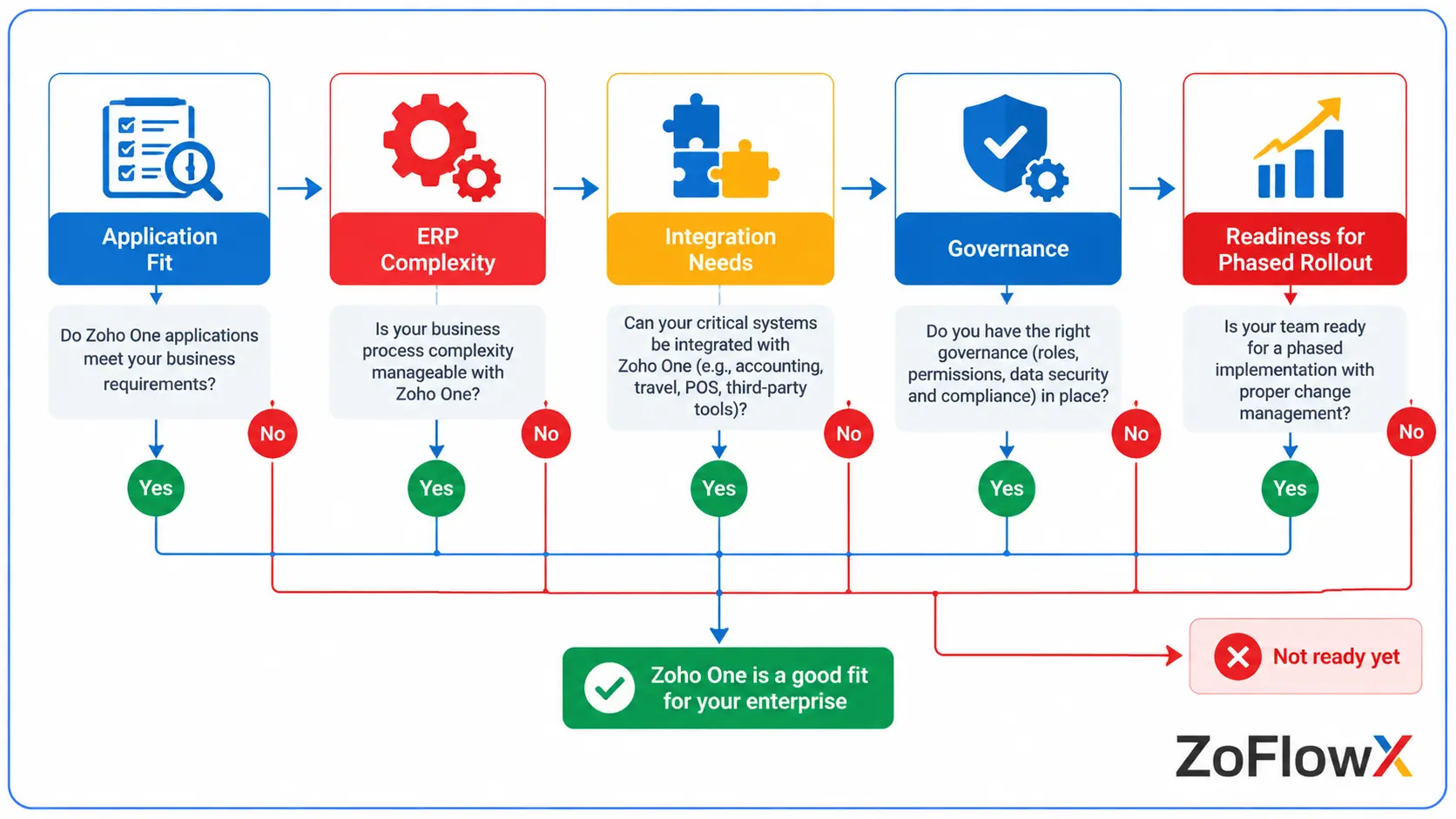
Zoho One for large enterprises can be a practical choice for organizations that want to connect departments, simplify business software, and automate routine work. Its value depends on application fit, sound integration design, effective governance, and a realistic implementation plan.
Its limitations also deserve serious attention. Complex ERP requirements, legacy integrations, advanced reporting, and multi-entity governance may require additional tools or specialist expertise.
Before purchasing, map your requirements, validate critical workflows, estimate total cost of ownership, and run a focused pilot. If the platform meets your needs, a phased rollout can help your organization adopt it with fewer surprises.
For guidance on enterprise readiness, implementation, customization, API integration, and workflow automation, contact ZoFlowX at +91 8190009222 or info@zoflowx.com. Discuss your requirements with the team and make a confident purchase decision based on your business goals.
Choose a system that supports your next stage of growth before disconnected tools and manual processes make it harder to get there.
Ready to Discover Whether Zoho One Fits Your Enterprise?
Get your business requirements assessed before committing to a costly company-wide software rollout.
Assess My Zoho One ReadinessIs Zoho One good for large companies?
Yes, Zoho One can be a good choice for large companies that want connected applications for sales, finance, HR, marketing, and customer support. It can reduce software fragmentation and help automate routine tasks. However, suitability depends on workflows, security requirements, integrations, and reporting needs. Companies with complex ERP or global governance requirements should validate those needs through a structured pilot before rolling out the platform company-wide.
Can Zoho One handle enterprise-level operations?
Yes, Zoho One can handle many enterprise-level business operations, including CRM, accounting, employee management, project coordination, marketing, and customer service. Its applications provide tools for managing routine processes across departments. More specialized operations may require additional enterprise software, integrations, or custom applications. Businesses should test their most important workflows, data volumes, approval rules, and reporting requirements to determine whether the platform can support their actual operating model.
Is Zoho One scalable for large organizations?
Zoho One can support organizational growth, but scalability depends on the applications used, transaction volumes, integrations, and performance requirements. A growing company should examine application-specific limits, API usage, data storage, and reporting performance. Testing with realistic workloads is more reliable than judging scalability by employee count alone. A controlled pilot can reveal whether additional integration infrastructure, process changes, or specialist software will be necessary as the organization expands.
What are the main limitations of Zoho One for enterprises?
The main limitations of Zoho One for enterprises can include specialized ERP requirements, complex cross-application workflows, integration maintenance, advanced reporting needs, and application-specific differences. Some requirements may need custom development, middleware, paid extensions, or separate software. These limitations do not automatically make the suite unsuitable. Identify mandatory requirements early, distinguish standard capabilities from custom work, and estimate the ongoing cost of maintaining any additional solutions.
Can Zoho One manage multiple departments and locations?
Yes, Zoho One can support multiple departments and can be used by organizations operating across locations. Applications can support sales, finance, HR, projects, and customer support, while centralized administration helps manage user access. However, multi-location organizations should verify regional reporting, currencies, local compliance, approval structures, and data access requirements. Clear ownership and consistent processes are essential to ensuring connected applications provide useful information across business units.
Can Zoho One integrate with existing enterprise systems?
Yes, Zoho One can integrate with supported third-party applications and external systems through available connectors, APIs, and other integration methods. The development effort depends on compatibility, data formats, transaction volumes, and business rules. Complex integrations may need middleware or custom code. Before implementation, confirm API availability, rate limits, data ownership, error handling, and maintenance responsibilities. Testing one critical integration is a sensible first step.
What are the disadvantages of Zoho One compared with enterprise platforms?
Zoho One may require additional work when a business depends on specialized ERP functions, complex global processes, extensive legacy integrations, or highly customized reporting. Some organizations may also need more advanced governance or industry-specific capabilities than their proposed configuration provides. However, these disadvantages vary by use case. Compare platforms using the same business scenarios, security requirements, integration tests, and total-cost assumptions rather than relying on broad claims about which platform is best.
When should a business choose Zoho One, and when should it avoid it?
A business should consider Zoho One when it wants connected business applications, more consistent workflows, and fewer disconnected tools. It may be less suitable as a standalone platform when critical operations depend on specialized ERP software, demanding transaction processing, or requirements that cannot be met by available controls. A hybrid approach may work better. Assess requirements, run a pilot, calculate total cost of ownership, and make the decision using measured results.