DIY vs Professional Zoho One Implementation: What Actually Works for Growing Businesses
- DIY vs Professional Zoho One Implementation comes down to one honest question: do you have the time, technical skill, and process knowledge to configure 50+ connected apps correctly, or would that time be better spent running your business?
- DIY works for small teams using two or three apps with simple needs. Professional implementation wins the moment you need clean data migration, cross-app automation, and CRM architecture that will not break in six months.
- Zoho One bundles 50+ integrated applications under one subscription, which means one wrong setup decision can ripple across sales, finance, and support at the same time.
- Most failed rollouts do not fail because the software is weak. They fail because of poor CRM structure, messy data migration, and automation gaps.
- A certified partner usually pays for itself by cutting your go-live time, protecting your data, and building a system your team will actually use.
What Is the Real Difference Between DIY vs Professional Zoho One Implementation?
Here is the short answer. DIY vs Professional Zoho One Implementation is the choice between configuring Zoho One yourself using free documentation and trial and error, or hiring a certified expert who designs, builds, migrates, and automates the system for you. DIY saves upfront cash. Professional saves time, protects your data, and gets you a system that scales.
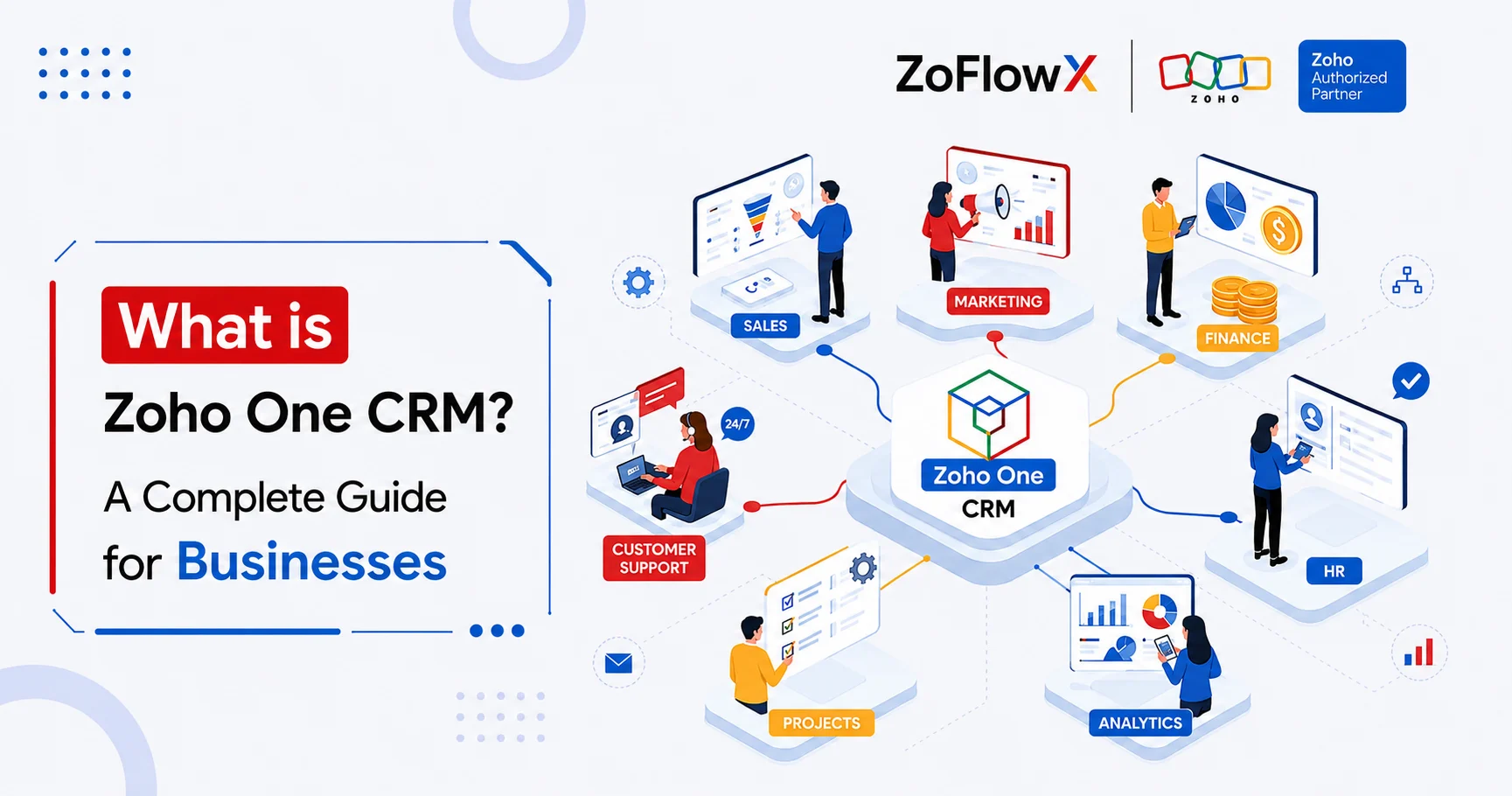
Zoho One is not a standalone application. It's an integrated business operating system that includes over 50 applications, including CRM, finance, HR, marketing, support, and collaboration, all under a single subscription and admin console. That's the reason why the setup decision is so important.
When you configure one app, a mistake is contained. If you set up a connected suite, an error in your CRM data model can silently wreak havoc on your invoicing, reporting, and automations.
According to ZoFlowX, roughly seven out of ten businesses that start a DIY build come back within a year asking for a rebuild. The software was never the problem. The foundation was.
Should I Hire a Zoho One Consultant or Set It Up Myself?
Should I hire a Zoho One consultant? Before answering, ask yourself three questions. If you answer yes to all three, then DIY may be a viable solution. If any answer is no, it's probably best to hire an expert.
- Do I know what relational data models are, how to map fields and how one module feeds into another?
- Do I have 40 to 100 hours of uninterrupted time to learn, build, test and fix in the next two months?
- Is my existing data clean, deduplicated and ready to move without impacting downstream apps?
Most founders respond negatively to at least one. That's not a liability. It's just the difference between working and working your job.
The choice between the Zoho One consultant and the DIY option is actually a choice of where your time is best spent. Ten hours spent fighting a Deluge script is ten hours not spent selling, hiring, or serving customers.
DIY Zoho One Implementation vs Expert Implementation: A Side by Side Look
Let's look at the two methods on what it really costs you money and sleep. This is the essence of the DIY Zoho One implementation vs expert implementation discussion.
Cost
There is no consulting fee, which makes DIY appear to be cheaper. Only licenses are paid. The downside, however, is that you're wasting time and rework. Rebuilding a broken DIY setup is usually more expensive than building it correctly in the first place.
There is a visible upfront fee for professional implementation. You get a fixed scope, a tested build, and a system that doesn't have to be torn down in six months.
Timeline
A DIY build stretches. You learn as you go, so a two week plan turns into two months. Businesses that switch on all 40+ apps at once, with no phasing, have seen deployments drag past ten months.
A phased professional rollout, starting with CRM and layering in Books and Desk, consistently lands faster and cleaner. Before deciding between DIY and professional setup, it helps to understand how long a Zoho One implementation takes, because timelines can vary significantly depending on the approach you choose. You can read our full breakdown of Zoho One implementation timelines to set realistic expectations.
Data quality
This is where DIY goes wrong. Without a mapping plan, migrating leads, contacts, invoices and inventory results in duplicates, broken links and reports that you can't trust.
Data is cleaned, mapped and validated by an expert before it ever touches your live system. Clean data equals reliable reporting.
Automation
The beauty of Zoho One is when a change in one app cascades to the other. When a contact is updated in CRM, it should be sent to Books for invoicing and Desk for support. Correct wiring takes a certain amount of skill.
Do-it-yourself automations are fragile. Expert automations are designed to deal with edge cases, approvals, and exceptions.
With a DIY Zoho One implementation, you pay for time, learning curve, and rework risk. An expert implementation involves paying a fixed price for clean data migration, tested cross-app automation, and CRM architecture that scales. Handles simple two-app requirements. The experts win on complex and connected setups.
When Does DIY Zoho One Implementation Actually Make Sense?
It's not always wrong to do it yourself. There are definite situations where you need to get your hands dirty.
- You are a team of one to five people.
- You need only two or three apps, such as CRM plus Mail plus Books.
- Your processes are simple and your data is small and clean.
- You have someone in-house who genuinely enjoys learning software.
- You are testing the waters before committing to a full rollout.
In such cases, Zoho's own documentation and guided onboarding sessions can get you a long way. Do not do everything at once, use one app well, and then add the next one when the first one is stable.
The trap is scope creep. It begins as a basic CRM system and expands to inventory, subscriptions, HR, and analytics. Now the DIY project is larger than anyone anticipated and no one has the architecture.
When Should You Choose Professional Zoho One Implementation?
The Self implementation vs Zoho implementation partner question flips in favor of a partner the moment complexity enters the picture. Choose professional help when any of the following is true.
- You are migrating from another platform such as Salesforce, HubSpot, Tally, or a stack of spreadsheets.
- More than 3 or 4 apps need to communicate with each other.
- Your business has custom workflows, approvals, or credit-hold logic.
- You manage GST, multi-currency or multi-branch accounting.
- You need dashboards that leadership will trust to make decisions.
- Downtime or poor data would cost you money.
According to ZoFlowX, the single biggest reason Zoho One projects fail is not the tools. It is a weak CRM data model built early and never corrected. Working with a certified Zoho One implementation partner gets the foundation right so everything built on top of it holds.
There is also a local advantage worth naming. Businesses that go the professional route often work with a Zoho implementation partner based in India to get local support, faster response times, and pricing suited to Indian SMBs. For companies in India, that closeness to your working hours and your compliance rules is a real edge.
When you are moving from another platform, integrating more than three apps, executing custom workflows, or managing GST and multi-branch accounting, opt for professional Zoho One implementation. In these instances, a certified partner safeguards your data, accelerates go-live, and creates reporting that your leadership can rely on.
How Do I Know If My DIY Zoho One Setup Has Gone Wrong?
If you have already attempted to do it yourself and something doesn't feel right, look for these signs. They typically indicate that the foundation is in need of repair.
- Your reports contain numbers that are not accurate.
- The same customer is listed three times with slightly different names.
- Automations run at the wrong time or not at all.
- Your team went back to spreadsheets quietly, as the system is confusing.
- CRM and Books have a dispute over what a customer is owed.
Two of these make a signal. It does not mean starting over from scratch. It typically involves hiring a professional to audit, restructure and stabilize what you have.
What Does a Professional Zoho One Implementation Actually Include?
People underestimate the work because Zoho markets ease of use, which is fair for a single app. A full suite is a different job. Here is what a proper professional build covers, step by step.
- Discovery. Mapping real business processes, not generic template processes.
- Architecture. Creating the CRM data model, modules, fields, and app connections without ever touching anything live.
- Data migration. Cleaning, deduplicating, mapping and validating your existing data.
- Configuration. Create building layouts, pipelines, roles, permissions, and approval flows.
- Automation. Writing Deluge functions and workflows that deal with your real edge cases.
- Integration. Integrating Zoho One with your website, payment systems, and third-party systems.
- Testing. Running real scenarios before go-live, so that problems emerge in a sandbox, not in production.
- Training and handover. Ensuring that your team embraces the system.
That is the difference in the DIY vs Professional Zoho One Implementation decision made concrete. In a DIY, steps four and six are done in a rough manner and the rest is skipped. Experts perform all 8 in sequence.
How Much Does Each Approach Really Cost?
Let us talk numbers honestly, because the Zoho One consultant vs DIY setup cost comparison is where most people misjudge things.
Zoho One has two licensing models: All Employee and Flexible User, and is charged on an annual basis, with no monthly option. All Employee pricing in India is approximately Rs 1250 per user per month on annual billing (excluding GST). The license fee is the same for both DIY and professional.
So the license is not the variable. The variable is the setup.
- DIY setup cost: appears to be zero, but the true cost is 40 to 100 hours of your team's time, plus the risk of a costly rebuild later.
- Professional setup cost: a one-time implementation fee, in exchange for a faster, tested, scalable system and no rebuild.
According to ZoFlowX, the rebuild cost after a broken DIY project frequently exceeds what a clean professional build would have cost from day one. You do not save money by skipping expertise. You defer the cost and add interest.
What Is the Best Choice for a Business Serious About Growth?
The truthful advice is that if you're a business that plans to expand, you should think of Zoho One as infrastructure, not a weekend project. Infrastructure needs a proper foundation.
If the need is very small and simple, DIY is okay and even clever. Professional implementation is the safer and typically less expensive long-term route for anything that involves migration, connected apps, custom logic, or reporting your decisions on.
That is the core of the DIY vs Professional Zoho One Implementation choice. It is not about capability. It is about risk, time, and whether you want a system that grows with you or one you will fight for the next year.
Before you make a decision, consult trusted Zoho experts who can review your processes and give you a clear answer on whether it's right for you to do it yourself.
Conclusion
Now you have the complete picture of DIY vs Professional Zoho One Implementation. For small, simple setups with clean data and limited requirements, DIY is a viable option. Professional implementation safeguards your time, your data, and your growth for everything else: migration, connected apps, custom logic, and reporting you can trust.
The companies that succeed with Zoho One are the ones that consider the setup as a base to build right. A clean, expert build is not a cost. It's the one thing that enables your team to put the software battle behind them and get back to work.
If you're considering implementing Zoho One in your own business and need a straightforward, non-salesy suggestion, we've been doing this for years with real businesses in sales, finance and operations. We will be honest with you and tell you whether you should build it yourself or we will build it for you.
Make the confident choice. Get it built right the first time.
Reach out to us at info@zoflowx.com or call +91 8190009222, and let us design a Zoho One system your business can grow on.
Frequently Asked Questions
Is DIY Zoho One implementation worth it for a small team?
Yes, if you use only two or three apps, your data is clean, and your processes are simple. The moment you add migration, custom automation, or connected apps, the DIY Zoho One implementation vs expert implementation math shifts firmly toward hiring help.
Should I hire a Zoho One consultant if I already started DIY?
Often yes. Should I hire a Zoho One consultant after a rough DIY start is a common question, and the answer is usually to bring in an expert to audit and restructure rather than tear everything down. A good partner salvages what works and fixes the foundation.
What is the difference between self implementation and a Zoho implementation partner?
Self implementation vs Zoho implementation partner comes down to ownership of the architecture. Self implementation means you own every decision, mistake, and fix. A partner owns the design, migration, and testing, and hands you a working system with training.
How do I choose a good Zoho partner?
Look for certification, real client outcomes, and a partner who insists on discovery before building. A certified Zoho One implementation partner should ask about your processes first and quote a scope second, never the other way around.