Zoho One vs Individual Apps: The Honest Way to Decide in 2026
- Zoho One vs individual apps comes down to how many apps you need, how many employees need access, and how closely your tools need to work together.
- Zoho One can offer better value when several teams need multiple Zoho apps, but individual apps may cost less if you only need one or two tools.
- Pricing alone should not decide the answer. User licensing, integrations, implementation, and future growth also matter.
Choosing between Zoho One and individual apps is simpler than it first appears. If your business needs several Zoho applications and multiple teams need to work with connected data, Zoho One may offer better value. If you only need one or two specific tools, buying them separately can be the smarter option.
The right choice depends on your actual business needs, not on which plan has the bigger list of features.
What Is the Difference Between Zoho One and Individual Apps?
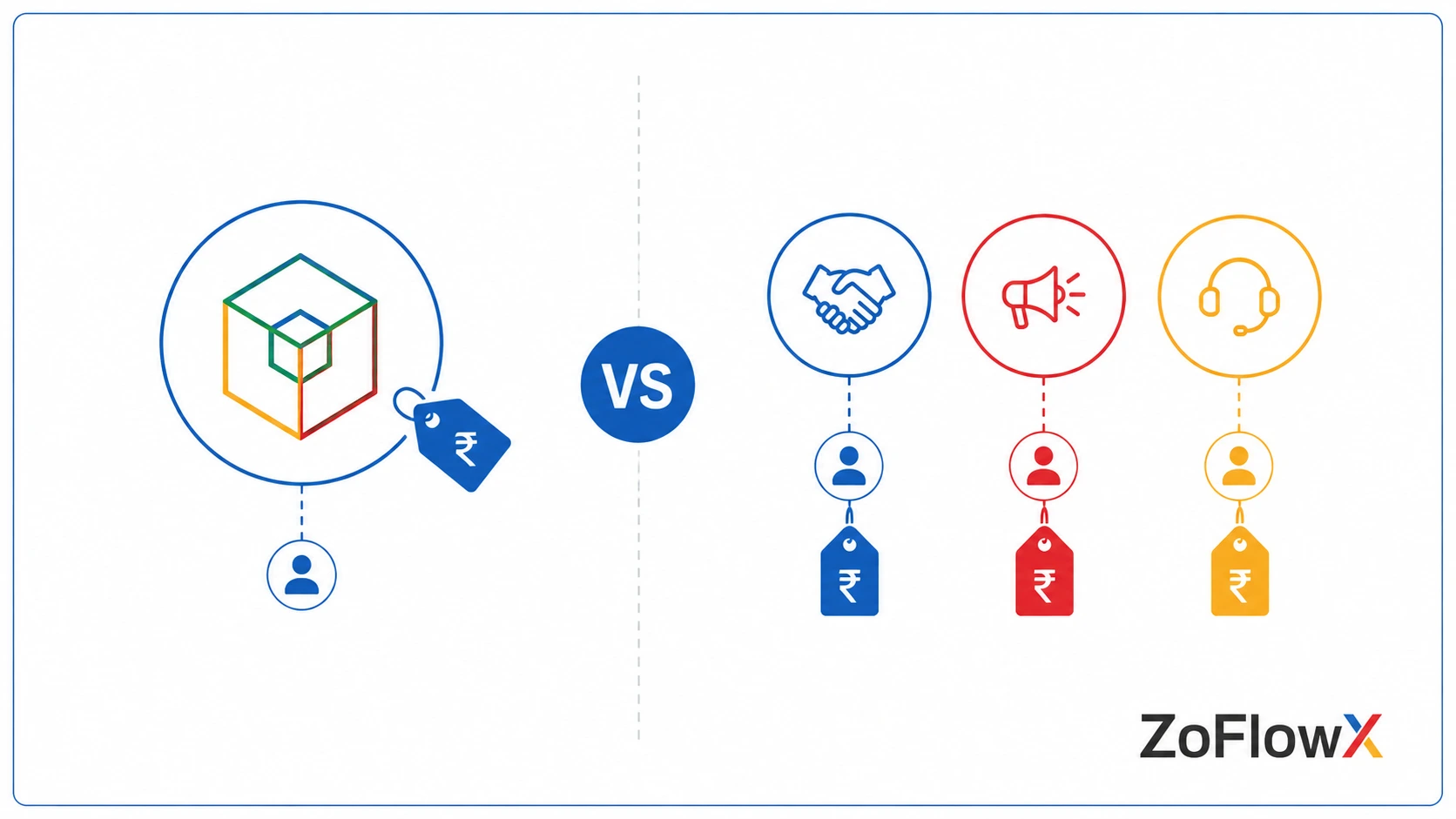
Zoho One gives your business access to a large collection of Zoho applications under one subscription and central administration. Individual apps are purchased separately, allowing you to pay only for the specific products you need. The better option depends on the number of apps, users, and business processes involved.
Individual apps let you choose specific Zoho products, such as Zoho CRM, Zoho Books, or Zoho Desk.
Zoho One gives you access to a wider suite of Zoho applications through one subscription.
The main difference is not simply the number of apps. It is also about how your business manages users, data, and processes.
How Do Individual Apps Work?
When you buy Zoho apps separately, you choose only the products your business needs.
For example, you may use:
- Zoho CRM for sales
- Zoho Books for accounting
- Zoho Desk for customer support
Each product has its own subscription and pricing structure.
Depending on the apps you use, you may also need to manage different plans, users, settings, and renewals.
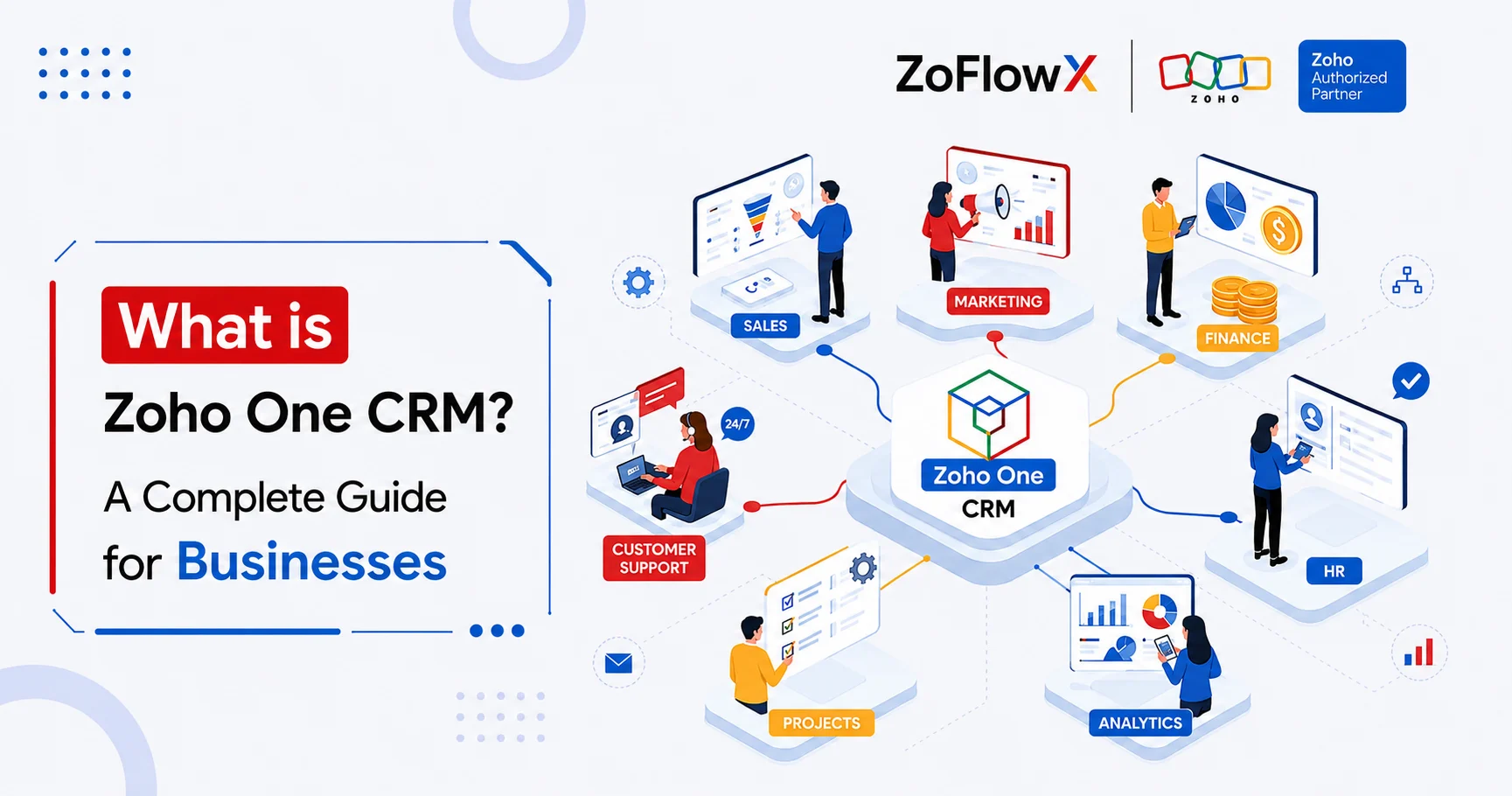
How Does Zoho One Work?
Zoho One brings a broad range of Zoho applications under one subscription.
It also provides central user management through a single administration system.
This can be useful when several departments use different Zoho apps but need to work with connected business information.
According to ZoFlowX, the biggest benefit is often not simply having access to more apps. It is reducing the number of disconnected systems your team has to manage.
How Does Zoho One Compare With Individual Apps?
Neither option is automatically better.
The right choice depends on how your business works today and what you expect to need in the future.
How Does the Pricing Work in India?
Pricing is usually the first thing businesses compare.
However, the monthly price alone does not tell the full story.
Zoho One offers different licensing options, while individual apps have their own pricing and editions.
What Is the All-Employee Plan?
The All-Employee plan generally requires the business to license all eligible employees under Zoho's licensing terms.
The price per employee may be lower than other licensing options.
This can work well when most employees need access to Zoho applications.
However, it may not be the best choice for a company where only a small group actively uses the software.
What Is the Flexible User Plan?
The Flexible User option allows businesses to license selected users rather than necessarily every employee, subject to Zoho's current licensing rules.
The cost per user may be higher, but it can make more sense when only certain teams need access.
For example, a company with 200 employees may have only 30 people regularly using CRM, finance, support, or operations software.
Why Should You Check Current Pricing?
Zoho pricing can change based on:
- Region
- Currency
- Billing cycle
- Plan
- Promotions
- Licensing model
Always check the current pricing before making a purchase decision.
For a detailed breakdown, you can compare costs before choosing a plan.
Is There a Simple Break-Even Rule?
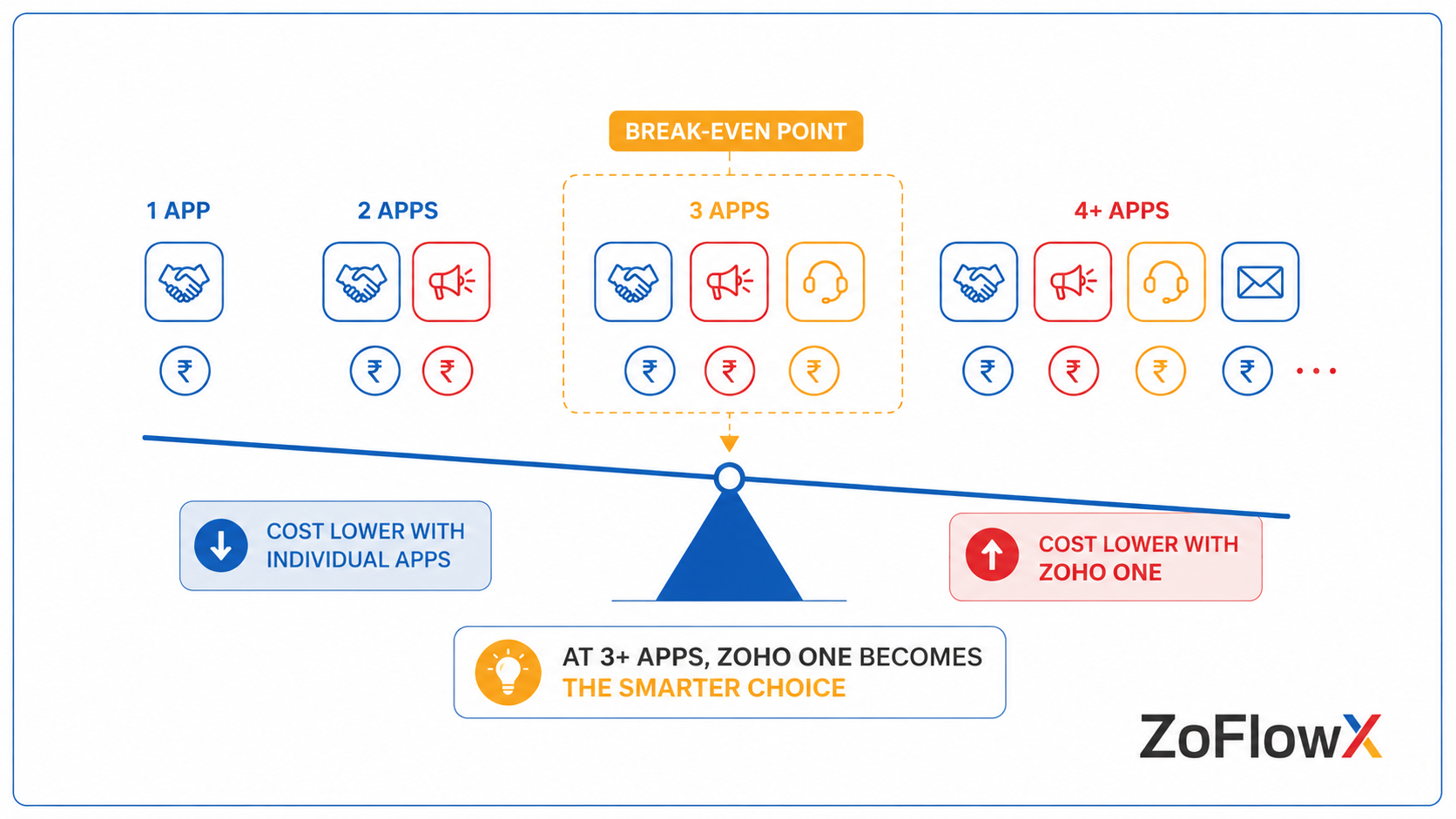
A simple way to compare Zoho One vs individual apps is to count how many apps your business needs and compare the total cost for the required users. Three or more apps can make Zoho One worth considering, but there is no universal break-even point because app editions and licensing needs vary.
A useful starting point is the three-app check.
If your business needs three or more Zoho applications, compare the combined cost against Zoho One.
However, do not assume Zoho One will always be cheaper.
The answer depends on the editions you need and the number of users.
When Can Zoho One Offer Better Value?
Zoho One may be worth considering when:
- Several departments use Zoho apps
- You need CRM, finance, support, HR, or operations tools
- Your team expects to add more applications later
- You want central user management
- Your business relies on connected workflows
When Can Individual Apps Cost Less?
Individual apps may be the better choice when:
- You only need one or two products
- Your software needs are simple
- You have a small number of users
- You do not expect to add more Zoho applications soon
What Happens in Real Business Scenarios?
Examples make the decision easier to understand.
Scenario 1: A Small Team Using Several Apps
Imagine a 10-person services company using:
- Zoho CRM
- Zoho Books
- Zoho People
If all employees need access to these tools, the business should compare the combined cost of the required app editions against Zoho One.
In some cases, Zoho One may offer better overall value.
Scenario 2: A Growing Company Using Multiple Departments
Consider a 25-person company using:
- CRM
- Accounting
- Customer support
- HR
- Business email
As more teams and applications are added, managing separate subscriptions can become more complex.
This is where Zoho One may become more attractive.
Scenario 3: A Business Using Only One Tool
A freelancer may only need Zoho Books for invoicing.
In this situation, buying one app is usually more practical than paying for a larger suite of software that may never be used.
More software does not automatically mean better value.
Are Integrations a Hidden Cost to Consider?
Yes, but the answer depends on the apps you use.
Some Zoho applications can connect directly with each other. Others may require additional configuration, Zoho Flow, third-party tools, or custom development.
This can create additional costs.
For example, your business may need to:
- Sync customer information
- Move sales data into finance systems
- Share information with support teams
- Automate tasks between applications
According to ZoFlowX, businesses should calculate both the software cost and the effort required to maintain their workflows.
A cheaper subscription can become more expensive if your team spends hours doing manual work.
What Should Indian Businesses Consider?
Indian businesses may have additional requirements around accounting, tax, payroll, and existing software.
What About Tally Migration?
Some businesses use Tally for accounting and later consider moving to Zoho Books or other Zoho finance applications.
Before choosing Zoho One, compare:
- The apps you currently use
- The apps you plan to replace
- Migration requirements
- Data cleanup work
- Training needs
The cost of software is only one part of the decision.
What About Lead Sources and Sales Tools?
Businesses using platforms such as IndiaMART may need leads to move into their CRM and then through their sales process.
The important question is not simply whether a lead can enter Zoho CRM.
You should also consider what happens after that lead becomes a customer.
If your teams need sales, finance, and support systems to share information, a connected software setup becomes more valuable.
When Are Individual Apps the Better Choice?
Zoho One is not automatically the right choice for every business.
Individual apps can be the better option when:
- You only use one or two Zoho products
- You have no immediate need for additional apps
- Only a small team needs software access
- You want to test one product before expanding
- Your current processes are simple
Starting with individual apps can also be a sensible approach for a new business.
You can add more applications as your needs grow.
Should You Start Small and Upgrade Later?
Yes, in many cases.
You may start with one application that solves your biggest problem.
For example:
- Sales problems → CRM
- Accounting needs → Books
- Customer support → Desk
As your business grows, you can reassess whether buying individual apps still makes financial and operational sense.
If you are still understanding Zoho One and how the suite works, start by identifying which departments actually need software.
That will give you a clearer basis for comparing the two options.
What About Zoho CRM Plus?
Some businesses do not need the full Zoho One suite but require more than just Zoho CRM.
In that situation, the CRM Plus option may also be worth comparing.
Zoho CRM Plus focuses more heavily on customer-facing teams and can suit businesses that need sales, marketing, and customer support tools without a full business software suite.
This is why comparing only two options may not always be enough.
Should You Compare Zoho One With Other Software Platforms?
Yes, especially if your business is reviewing its entire software stack.
For example, companies already using Microsoft tools may want to consider a Microsoft alternative before making a decision.
The goal should not be to choose the platform with the most apps.
The goal is to choose the software that fits your actual business processes.
So, Which Option Is Right for Your Business?
Use this quick checklist.
Choose individual apps if:
- You only need one or two products
- Your team is small
- Your requirements are simple
- You want to keep software spending focused
Consider Zoho One if:
- You need several Zoho applications
- Multiple departments use business software
- You want more connected workflows
- Your business is growing
- You expect to add more tools later
The best answer comes from comparing your real requirements and costs.
According to ZoFlowX, businesses should avoid choosing a software plan simply because it appears cheaper per month. The better question is: What will this setup cost your business in software fees, manual work, implementation, and future changes?
What Is the Final Verdict on Zoho One vs Individual Apps?
The Zoho One vs individual apps decision is not about choosing the biggest software package.
It is about choosing the right amount of software for your business.
If you need only one or two tools, individual apps can keep your costs focused. If several teams need multiple Zoho applications and connected workflows, Zoho One may offer better value.
Before you buy, compare your user count, required apps, licensing model, and future plans. If you want help making the decision, contact ZoFlowX at +91 8190009222 or info@zoflowx.com.
A well-planned software decision can save your business from paying for the wrong tools for years.
Don't Pay for the Wrong Zoho Setup
One wrong licensing decision can leave your business paying for software it does not need—or struggling with tools that no longer support your growth.
Get My Zoho Setup ReviewedFrequently Asked Questions
Is Zoho One cheaper than buying individual apps?
It can be, especially when a business needs several Zoho applications. However, the exact answer depends on the apps, editions, number of users, and Zoho One licensing model.
How much does Zoho One cost in India?
Pricing depends on the licensing option, billing cycle, and Zoho's current rates. Always check the latest pricing before purchasing.
What is the difference between All-Employee and Flexible User pricing?
The All-Employee model generally covers all eligible employees, while the Flexible User model allows selected users under Zoho's applicable licensing terms. The right choice depends on how many employees need access.
Does Zoho One include Zoho Books and Zoho People?
Zoho One includes access to a broad range of Zoho applications, including Zoho Books and Zoho People, subject to regional availability and applicable service terms.
Can I start with one app and move to Zoho One later?
Yes, businesses can begin with individual Zoho applications and later evaluate whether moving to Zoho One makes sense. The exact migration process should be checked based on the apps and setup involved.
When should I choose individual apps?
Individual apps are usually worth considering when you only need one or two specific products and do not currently need a broader suite of business software.