CRM for Lead Generation: The Complete Guide to Capture, Track & Convert Leads in 2026
Introduction
If your sales team is still hunting leads in spreadsheets and on sticky notes, then you're leaving money on the table. A CRM for lead generation is a game changer. It gives you one place to capture every lead, track every interaction and move prospects smoothly through your sales funnel - without anything slipping through the cracks.
Whether you are a startup or a growing business, the right lead generation CRM is the difference between your messy lead data and some real revenue. Let's break down exactly how it works and why your business needs one, asap!
What Is CRM for Lead Generation and How Does It Work?
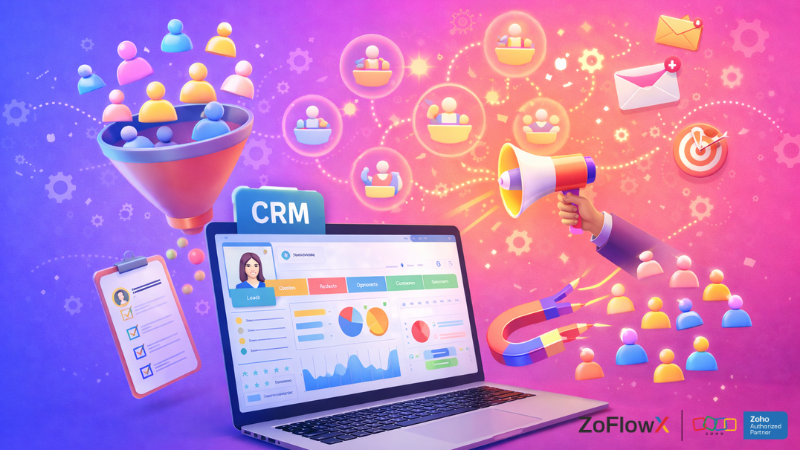
CRM for Lead Generation A CRM or Customer Relationship Management for lead generation is a type of software that aids businesses in attracting, capturing, and managing potential customers from start to close. Think of it as your sales team's digital brain - it keeps all your contacts, remembers all the conversations, and sends you a reminder to follow right when you need to.
It works on the principle of connecting your lead sources - website forms, social ads, emails, calls - into one unified contact management system. When a lead comes in, the CRM will log it, assign it to a rep, and the next action is automatically triggered. No manual entry. No missed leads.
Why Businesses Need a CRM for Lead Generation
Most businesses lose leads not because of bad products - but bad follow up. A CRM for lead generation solves this, by keeping all prospects in front of you and all tasks on course. Here's why it matters:- Centralises all inbound leads and outbound leads in one place
- Faster response time with follow up automation
- Provides your team with a clear sales dashboard to prioritise work
- Tracks all stages of the sales pipeline in a visual way
- Increases lead conversion rate through timely relevant outreach
Key Features to Look for in a Lead Generation CRM
All CRM tools for lead generation are not created equal. The best of them come packed full of features that make capturing, nurturing, and closing on lead faster and smarter. When you are evaluating your options, look for the following must-have capabilities:- Lead capture forms & landing page integration: Pulls leads in directly from your website into the CRM
- Lead scoring: Prioritize leads based on buying intent so your team can focus on the hottest prospects
- Lead nurturing with drip campaigns: Automatically and personally sends messages to move leads forward
- Email marketing integration: Integrates your email tools for seamless campaign management
- Sales pipeline view: Visual board that tells you exactly where each and every deal is
- CRM analytics & conversion tracking: Real-time analytics of what's working & what's not
- Sales workflow automation: Eliminates manual tasks to give reps more time to sell
- Lead segmentation: Segment leads based on industry, behaviour, or stage for targeted outreach
CRM Lead Generation vs Traditional Lead Management Methods
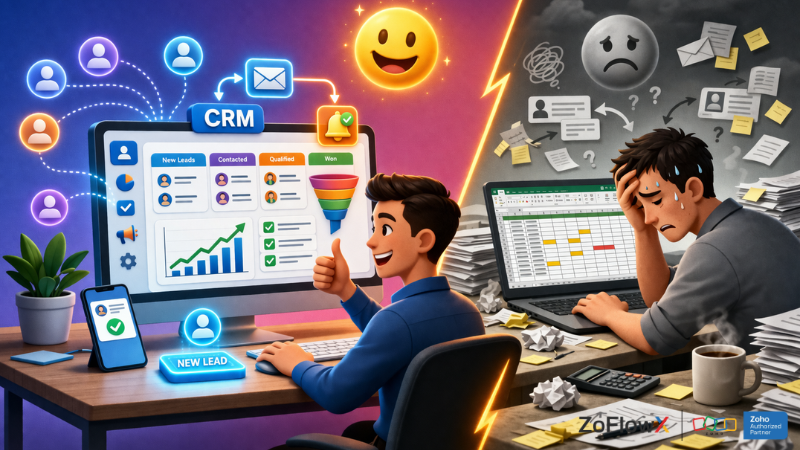
Traditional methods - spreadsheets, shared inboxes, paper notes - may have been good for five leads. But when you're talking about hundreds, they melt down quickly. CRM for sales leads means a structure, speed and visibility manual methods simply can't match.
With CRM lead management software, you eliminate guesswork for data. Every lead is followed, every follow-up is planned, and no opportunity is lost in someone's inbox. The result? Faster response times, better relationships and improved conversions.
Best CRM for Lead Generation in 2026 (Top Tools Compared)
The market has enough choices, but the best CRM for lead tracking does not just store the contacts - it actively helps you close deals. Here are some of the best platforms to consider:- Zoho CRM: Zoho CRM is an extremely powerful, flexible platform with robust lead capture capabilities, integrated email marketing, lead scoring, and robust CRM analytics. It scales well from small teams to large enterprises - and yes it does generate leads natively with web forms, social media and live chat integrations. It has an especially appealing value-for-money to startups and growing businesses. Growing teams are often comparing best CRM software for startups before they can settle down to a platform.
- HubSpot CRM: Great for inbound leads with a generous free tier and decent marketing automation capabilities.
- Salesforce: Feature-rich enterprise solution with powerful sales performance tracking and CRM integration options.
- Pipedrive: Pipedrive is a visual, sales-first CRM that is great for prospect management with a clean "sales pipeline" view.
- Freshsales: Good for teams looking for in-built phone, email, and drip campaigns in a single tool.
How to Use CRM for Lead Generation Step by Step
Using a CRM for lead generation isn't complicated - but it does need a clear process. Here's a basic step by step to get you started:- Step 1: Create your lead database including custom fields for your industry
- Step 2: Connect your lead sources – Website forms – Ads – social channels
- Step 3: Define your stages of the sales pipeline (New Lead → Qualified → Proposal → Won)
- Step 4: Enable lead scoring to score leads based on engagement and intent
- Step 5: Develop automated follow-up automation sequences for every stage
- Step 6: Personalise outreach by group using lead segmentation
- Step 7: Track results on a weekly basis with your CRM analytics dashboard
Lead Scoring and Segmentation in CRM for Better Conversions
Lead scoring in CRM is the method of assigning a value to each lead based upon their behaviour - pages visited, emails opened, forms filled. The higher the score, the more sales ready the lead is. This helps your team to prioritise without second guessing.
Paired with lead segmentation, you are able to group similar leads and send very targeted messages. For instance, B2B prospects receive a different nurture sequence than B2C buyers. This level of personalisation (enabled by your client management system) directly helps improve lead qualification and conversion rates.
CRM Automation for Lead Generation and Follow-Ups
Sales automation within CRM tool for lead generation eliminates the repetitive work that slows teams down. From sending welcome emails to the moment a lead signs up, to sending an email to a rep when a hot lead revisits your pricing page - automation keeps things moving without having to be manually done.
You can set up drip campaigns that take leads through your sales funnel over the course of days or weeks. Combined with marketing automation and customer engagement tools, your CRM is kind of working 24/7 to warm up leads for your sales rep, before he even picks up the phone.
Integrating CRM with Marketing Tools for Lead Generation
The real magic occurs when your CRM integration integrates with the tools that you're already using. Think Google Ads, Facebook Lead Ads, email platforms and live chat - all firing leads directly to your CRM in real time.
This forms a complete loop in which marketing manages campaign, leads flow into the CRM, sales team follows up leads, and CRM analytics reveals to you which campaigns drive the best results. It's a closed loop system that makes every marketing dollar accountable.
Common Mistakes to Avoid When Using CRM for Lead Generation
Even the best CRM for lead generation can fail at best if misused. Here are the traps to avoid:- Not cleaning your lead database on a regular basis – dirty data kills results
- Not giving score to leads and treating all leads equally
- Failing to establish follow-up automation – most deals require 5+ touchpoints
- Deviating from CRM analytics and not changing strategy based on data
- Not training the sales team – a CRM is only as good as the number of people who actually use it
- Overloading the pipeline with unqualified leads – focus on lead qualification first
Measuring Lead Generation Success Using CRM Analytics
Your CRM for lead generation should tell you what exactly is working. Track these important metrics from your sales dashboard: Your CRM for lead generation should tell you what exactly is working. Track these important metrics from your sales dashboard:- Lead conversion rate: % of leads to customers
- Sales pipeline velocity: Speed of deals through stages
- Cost per lead vs lead quality: Is your spend worth it?
- Response time: Faster follow-up = higher conversion
- Sales performance tracking: Who's closing and who needs support
Cost of CRM for Lead Generation and ROI Explained
CRM lead management software ranges from free to hundreds of dollars a user month. The right choice depends on your team size and your requirements for features. Most small businesses find excellent value in between $12-50/user/month.
The ROI is usually obvious: faster follow-ups, fewer leads missed and better nurturing of leads can mean more deals closed to the same team. Businesses usually see a 20 to 30% improvement in lead conversion rate in the first 3 months of implementing a solid CRM for sales leads.
Conclusion: Is CRM Worth It for Lead Generation?
If you're serious about growing your business the answer is an unqualified yes. A CRM for lead generation isn't just software - it's the basis for a reliable and scalable sales process. It brings your leads, team, and data together in one place so that nothing falls through the cracks and every opportunity gets the attention that it deserves. The right CRM for sales leads pays for itself fast - in time saved, leads converted and deals closed. Whether you're comparing options, or ready to implement, starting with a well-supported platform makes all the difference. Ready to create a wiser lead generation system? Let's talk. Book a Meeting or email your requirements to info@zoflowx.com - and we'll help you find the right CRM setup for your business.Final Thoughts
CRM for lead generation is the key to any business aiming to grow consistently and at scale. It captures, tracks and converts leads efficiently - saving time and increasing revenue. Start with the right tool and watch your pipeline transform.
Frequently Asked Questions
What is a CRM for lead generation?
It's software that helps businesses catch, organise and follow up with potential customers - turning raw enquiries into paying customers, via a structured sales process.
How does CRM help in lead generation?
CRM for lead generation - Automates lead generation, organises contacts, triggers follow-ups, and tracks all interactions - no lead is ever missed or forgotten.
Which CRM is best for lead generation?
Zoho CRM, HubSpot, Salesforce, and Pipedrive are the best options. The best fit is determined by your team size, budget, and the level of customisation you need (or don't need
Can a CRM automatically capture leads from websites?
Yes. Most CRM tools for lead generation interface directly to website forms, landing pages and live chat widgets to capture and record inbound leads automatically.
How does CRM improve lead conversion rates?
By ensuring timely follow-ups, personalised lead nurturing and having visibility into your pipeline - reducing drop offs and keeping your prospects engaged until they're ready to buy.
By ensuring timely follow-ups, personalised lead nurturing and having visibility into your pipeline - reducing drop offs and keeping your prospects engaged until they're ready to buy.
What features should a lead generation CRM have?
Look out for lead scoring, sales pipeline management, email marketing integration, follow up automation, lead segmentation, CRM analytics, good contact management.
Is CRM suitable for small businesses for lead generation?
Absolutely. Many best CRM for lead tracking tools have affordable lead tracking plans designed for small teams that have all the features needed to manage and convert leads effectively in the basic versions.
How does lead scoring work in a CRM?
Lead scoring uses points to score people based on actions - visiting pricing pages, opening emails, downloading resources. Higher scores = more sales ready leads for your team to prioritise.
Can CRM integrate with email marketing and ads for lead generation?
Yes. CRM integration with Google Ads, Facebook Ads and email tools - this helps feed leads directly into your pipeline, managing your campaigns in a closed-loop fashion and tracking them.
How much does a CRM for lead generation cost?
There are free tiers available (HubSpot, Zoho). Paid plans are available from $12-$100+ per user/month. ROI is usually more important than cost in the first 90 days of regular use.
What is the best CRM for lead generation?
The best CRM for lead generation fits into your sales process. Zoho CRM is notable for its flexibility, affordability and in-house tools for lead capture, scoring, and nurturing.
Does Zoho CRM generate leads?
Yes. Zoho CRM captures leads through web forms, social channels, live chat and email -- and auto-assigns leads to reps using workflow rules - making lead generation a breeze.