Zoho Website Builder: Features, Pricing, Review, and How to Create a Website
- Zoho website builder makes it easier to create, customize, and manage business websites without extensive coding.
- Zoho Sites offers templates, responsive design, SEO tools, forms, analytics, and other website-building features.
- Businesses can create a Zoho website and customize its design, content, domain, functionality, and integrations around their needs.
- Zoho Sites pricing should be evaluated based on required features, customization, integrations, and future business needs.
- The right Zoho website builder setup can connect your website with the wider Zoho ecosystem and support your business workflows.
What Is Zoho Website Builder?
Zoho website builder is a website creation platform that helps businesses build, customize, publish, and manage websites without needing extensive coding knowledge.Zoho Sites provides tools such as templates, visual editing, responsive design, SEO controls, forms, and integrations for creating a business website.
If you're searching for a Zoho web builder because you already use other Zoho applications, understanding how Zoho Sites fits into the wider ecosystem is especially useful.
Unlike building everything from scratch, a website builder provides a structured environment where you can create pages, add content, customize layouts, and manage your website from one platform.
Key Features of Zoho Website Builder
The value of a website builder depends on what you can actually do with it. Here are some of the important capabilities to consider when evaluating Zoho site builder options.
Drag-and-Drop Website Editor
A visual drag-and-drop editor makes it easier to arrange page elements without writing everything manually. You can work with sections, text, images, buttons, forms, and other website elements.
Templates and Responsive Design
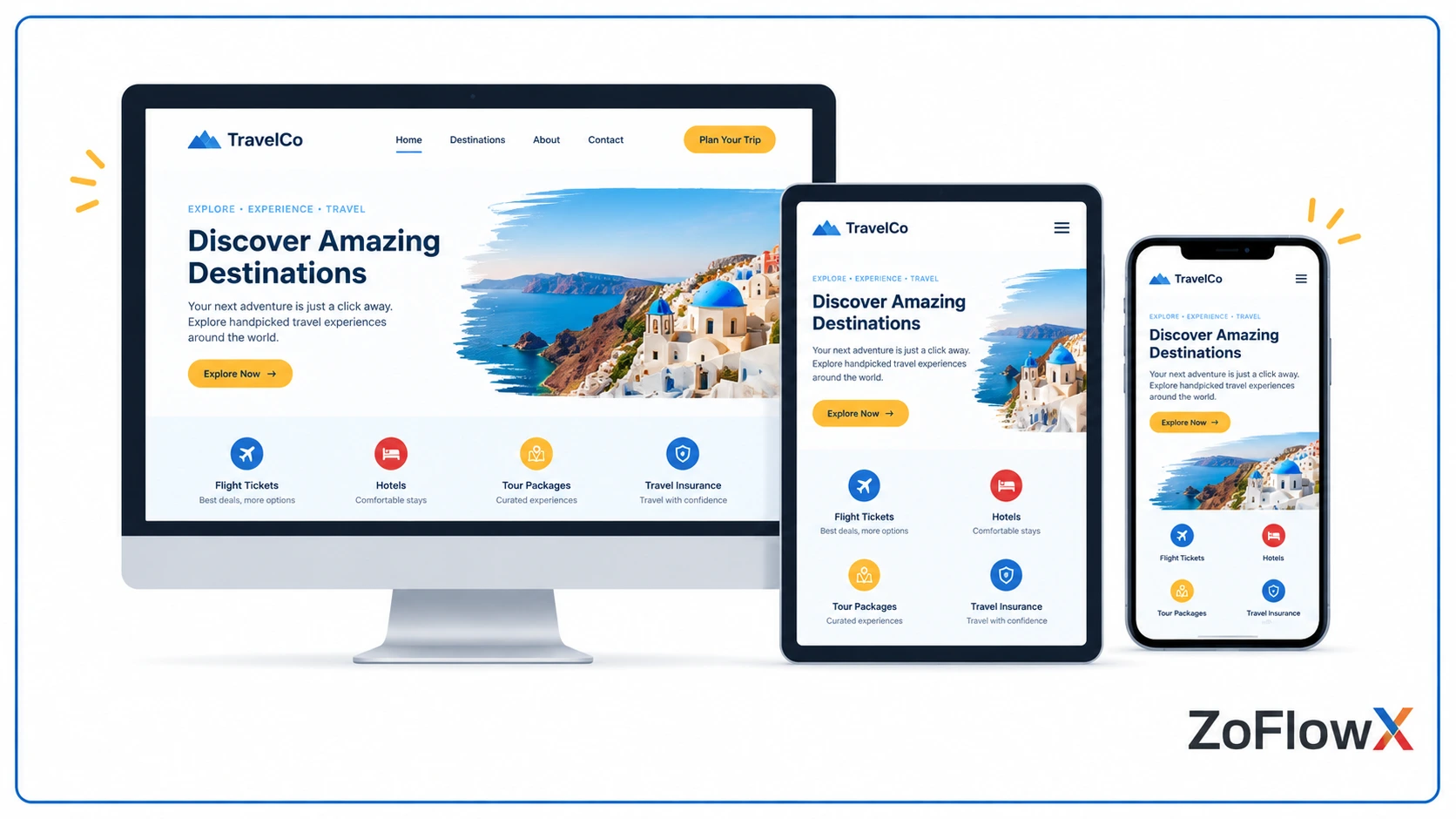
Zoho Sites templates provide starting points for different website types. Responsive website design also helps pages adapt to different screen sizes, including desktops, tablets, and smartphones.
Custom Domain and SSL
A custom domain can give your business website a more professional identity. SSL helps secure the connection between visitors and the website.
SEO and Analytics
Built-in SEO tools can help manage important website elements such as page titles, descriptions, and other search-related settings. Website analytics can then provide useful information about visitor activity.
Forms, Blogging, and Integrations
Depending on your requirements, website forms, blogging capabilities, and integrations can extend what your website does beyond simply displaying information.
The important point is that these features are building blocks. The final website should still reflect your business workflow, customer journey, content structure, and operational requirements.
How to Create a Website Using Zoho Sites
Creating a Zoho website generally follows a straightforward process.
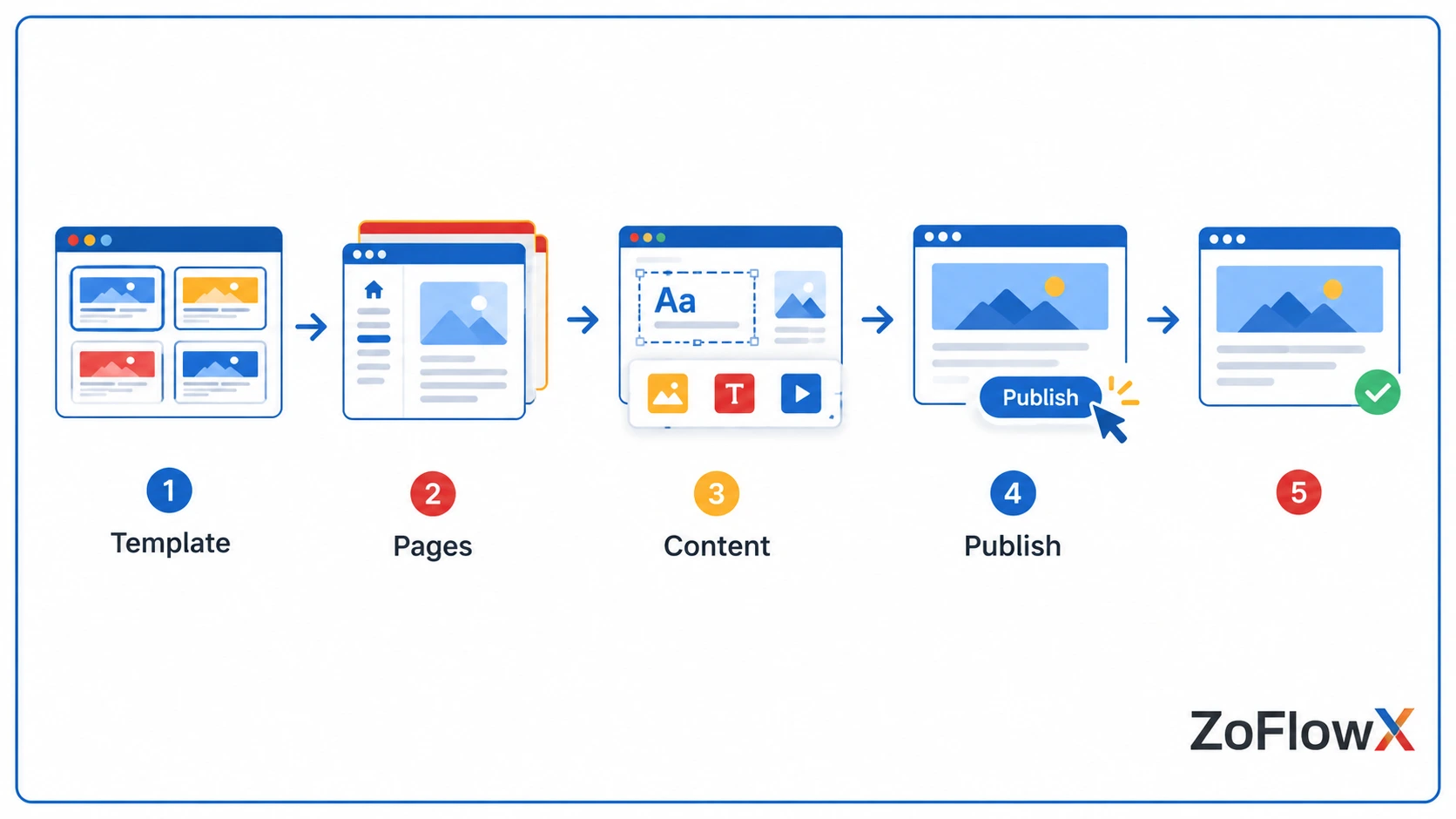
1. Choose a starting point: Select a suitable template or begin with a blank website.
2. Build your pages: Create essential pages such as Home, About, Services, Contact, and other pages your audience needs.
3. Customize the design: Adjust layouts, typography, images, navigation, colours, and other elements to match your brand.
4. Add functionality: Add forms, calls to action, integrations, blogs, or other features based on your requirements.
5. Configure SEO: Add relevant page titles, descriptions, URLs, and other SEO settings.
6. Connect your domain: Use a suitable domain and configure the required domain settings.
7. Review and publish: Check the website across different devices before making it live.
For businesses with more complex requirements, the process doesn't necessarily end with choosing a template. Zoho website creation can be structured around specific business processes and connected with the wider Zoho ecosystem where appropriate.
Zoho Website Builder Pricing and Plans
Zoho Sites pricing is an important consideration before choosing the platform. However, pricing should not be evaluated separately from what you actually need from your website.
Consider factors such as:
- Required website features
- Number of websites or pages
- Domain requirements
- Storage and bandwidth
- Business integrations
- SEO requirements
- Website customization
- Additional Zoho applications
Zoho website builder pricing can change over time, so check the current Zoho pricing page before making a final decision.
For businesses already using CRM, Creator, Forms, Analytics, or other Zoho applications, the broader Zoho Suite can also be part of the technology discussion rather than looking at the website in isolation.
Zoho Sites Review: Pros and Limitations
A useful Zoho Sites review should look beyond the feature list.
Potential advantages include easier website creation, visual editing, templates, responsive design, SEO capabilities, and connections with the wider Zoho ecosystem.
However, every website builder has boundaries. Businesses requiring highly specialized functionality, extensive customization, or complex workflows should evaluate whether the platform can accommodate those requirements before committing.
The better question isn't simply "Is Zoho Sites good?" It's "Can Zoho Sites support the way my business actually operates?"
Who Should Use Zoho Website Builder?
Zoho website builder can be relevant for small businesses, startups, consultants, agencies, service businesses, and organizations already working with Zoho applications.
It can be particularly useful when the website needs to connect with other business processes rather than functioning as a standalone online brochure.
For example, a business may want website enquiries to move into CRM, customer information to be managed centrally, or data to be analyzed through Zoho Analytics.
This is where a customizable approach becomes valuable. Instead of treating every business website as the same, the website and connected Zoho applications can be considered together based on the organization's actual requirements.
Is Zoho Website Builder Right for Your Business?
The right choice depends on what you expect your website to accomplish.
If you need a straightforward website with manageable customization, Zoho Sites can provide the foundation. If your requirements involve multiple business processes, integrations, CRM workflows, automation, or reporting, the bigger question becomes how the website fits into your overall Zoho ecosystem.
A customized approach can help connect the website with relevant Zoho applications instead of treating website creation as an isolated task.
Build a Website Around Your Business
Your website should do more than showcase your business. Connect it with your CRM, automation, forms, and other Zoho applications to create a website experience that supports your actual business workflow.
Plan Your Website
Frequently Asked Questions
1. What is Zoho website builder?
Zoho website builder is a platform for creating and managing websites through Zoho Sites. It provides website templates, visual editing, responsive design, SEO features, forms, and other tools for building a business website. Users can customize pages without relying entirely on traditional coding, while businesses using other Zoho applications can explore how their website fits into the wider Zoho ecosystem.
2. Is Zoho Sites free?
Zoho Sites offers different plans, so availability of features depends on the plan you choose. The platform can be evaluated based on the website features, domain requirements, customization, and other capabilities your business needs. Since Zoho Sites pricing can change, check the current official pricing information before selecting a plan for your website.
3. How do I create a website with Zoho Sites?
You can create a website with Zoho Sites by selecting a template, building pages, customizing the design, adding content and functionality, configuring SEO settings, connecting a domain, and publishing the site. The exact process can vary depending on the type of website you're creating and the features or integrations you need.
4. Is Zoho website builder good for small businesses?
Yes, Zoho website builder can be suitable for small businesses that need a manageable way to create and maintain a website. It can be especially relevant when a business already uses Zoho applications. Before choosing it, consider your required integrations, website functionality, customization needs, budget, and plans for future growth.
5. Does Zoho Sites support custom domains?
Yes, Zoho Sites supports custom domain usage depending on the applicable plan and configuration. A custom domain gives a business a branded web address instead of relying only on a platform-provided address. Before connecting a domain, review the current plan requirements and domain configuration process to understand what is included.
6. Can Zoho Sites integrate with other Zoho applications?
Yes, Zoho Sites can work with other Zoho applications and services depending on the required integration and available functionality. This can be useful when website enquiries, customer information, forms, automation, or reporting need to connect with other business processes. A customized Zoho website setup can therefore go beyond basic page creation.
7. How much does Zoho website builder cost?
Zoho website builder pricing depends on the Zoho Sites plan and features required. When comparing plans, look at more than the subscription price. Consider domains, website functionality, customization, storage, integrations, and other requirements. Always verify the latest Zoho Sites pricing directly from Zoho before making a purchasing decision.
8. What are the alternatives to Zoho Sites?
Common alternatives to Zoho Sites include WordPress and Wix, depending on your website requirements. Each platform has different approaches to customization, extensions, design, integrations, and management. Rather than choosing based only on popularity, compare the platforms against your specific requirements, technical resources, budget, integrations, and desired level of customization.