Zoho CRM Free Plan 2026: Features, Limits & Who Should Use It
- The Zoho CRM Free edition is free forever for up to 3 users.
- It includes core tools for managing leads, contacts, deals, and sales activities.
- Small teams can also use features such as basic workflows, reports, webforms, API access, and the mobile app.
- The Free edition may become limiting when you need more users, custom reports, advanced automation, or structured sales processes.
- The best plan is not always the most expensive one. It is the one that matches your current business needs.
If you are searching for the Zoho CRM free plan, the answer is simple: Yes, Zoho CRM offers a Free edition for up to 3 users.
It is not a short-term trial. You can continue using the Free edition as long as it meets your requirements.
The more important question is whether the Free edition is actually enough for your business. That depends on your team size, sales process, reporting needs, and how much automation you need.
Is Zoho CRM Really Free?
Zoho CRM offers a Free edition that supports up to 3 users. It is not a limited-time trial and includes core CRM tools for managing leads, contacts, deals, sales activities, basic workflows, reports, webforms, and mobile access.
The Free edition is designed for businesses with simple CRM requirements.
This makes it different from a free trial, where access to certain features ends after a limited period.
How Many Users Can Use Zoho CRM Free?
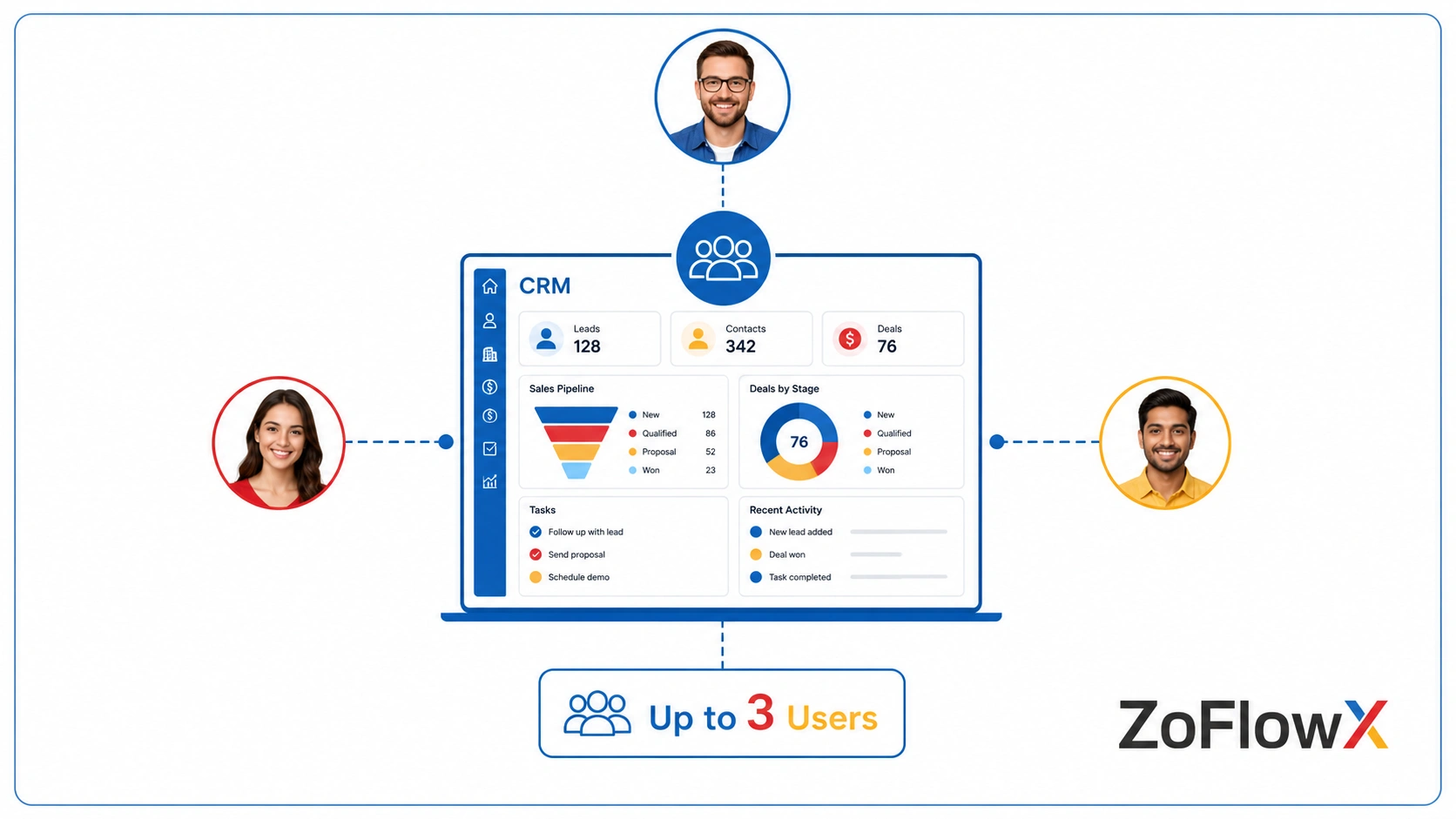
The Zoho CRM Free edition supports up to 3 users.
This can work well for:
- Solo founders
- Freelancers
- Small startups
- Business owners with one or two salespeople
- Small teams moving away from spreadsheets
However, the number of users should not be your only deciding factor.
A three-person team with a simple sales process may find the Free edition more than enough. Another team of the same size may need features that are only available in a paid edition.
What Can You Do With the Zoho CRM Free Plan?
The Free edition includes many of the basic tools needed to organize customer and sales information.
Can You Manage Leads, Contacts, and Deals?
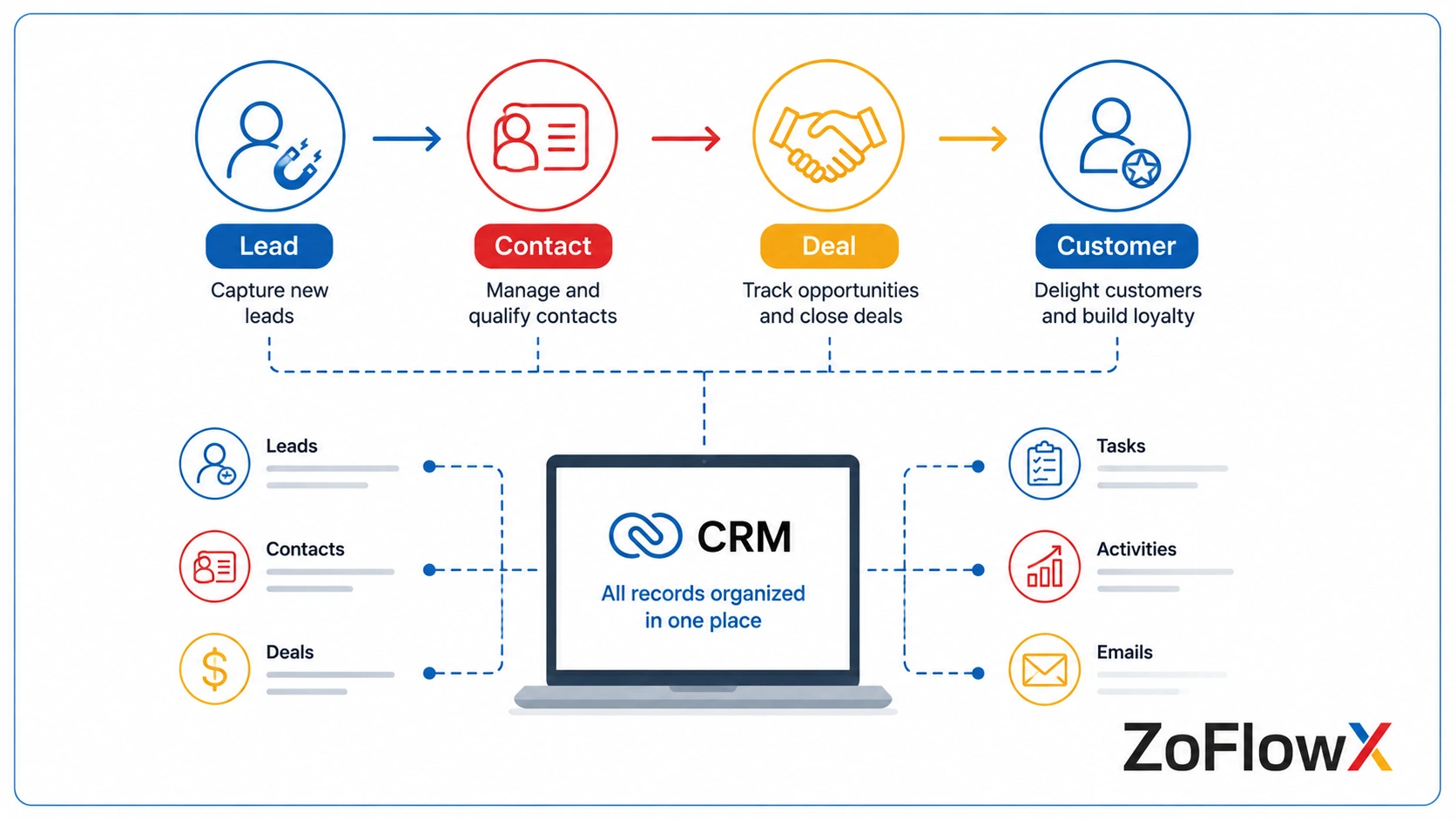
Yes. You can record leads, store customer information, and track potential sales opportunities.
Instead of keeping information across spreadsheets, emails, and personal notes, your team can keep important customer details in one place.
For a simple sales process, this can make it easier to see what is happening with each opportunity.
Can You Track Tasks and Follow-Ups?
Yes. The Free edition allows users to manage sales activities such as tasks, meetings, calls, and follow-ups.
This can be particularly useful for small teams that currently rely on memory or spreadsheets to track customer conversations.
Does Zoho CRM Free Include Workflow Automation?
Yes, but the automation options are more limited than in higher editions.
Basic workflows can help automate repetitive actions inside the CRM.
However, businesses with complex processes, multiple teams, or advanced automation requirements may eventually need a paid edition.
Does Zoho CRM Free Include Reports?
Yes. The Free edition includes standard reports.
However, according to Zoho's current feature comparison, custom reports are not available in the Free edition.
This can become important when your business needs reports based on its own sales process or performance metrics.
Can You Import Existing Data?
Yes. You can import existing information into Zoho CRM, which can be useful if your business currently manages leads or customers using spreadsheets.
The Free edition also includes export capabilities, although usage limits may apply.
Does Zoho CRM Free Include Webforms, API Access, and Mobile Access?
Zoho lists webforms, API access, and mobile access as part of the Free edition.
These features can help small businesses capture website enquiries, connect certain systems, and access customer information while away from a computer.
API access does not automatically mean every integration will work without additional configuration.
What Are the Main Limits of Zoho CRM Free?
The main limits of Zoho CRM Free are the 3-user cap and the lack of several advanced features available in paid editions. Businesses may need to upgrade when they require custom reports, advanced automation, structured sales processes, forecasting, or more complex CRM functionality.
The Free edition works best when your requirements remain relatively simple.
You Can Only Have 3 Users
Once more than three people need access to the CRM, you will need to consider a different edition.
Custom Reporting Is Limited
Standard reports are available, but businesses needing reports built around their own sales process may need a paid plan.
Advanced Sales Features Are Not Included
Features such as more advanced forecasting, structured process management, inventory-related capabilities, and other advanced functions are available only in higher editions.
Automation Has Limits
The Free edition supports workflow automation, but more advanced automation tools vary across paid plans.
If your sales process involves complex approvals, multiple teams, or many automated actions, the Free edition may eventually become restrictive.
Who Is the Zoho CRM Free Plan Best For?
The Free edition is a good starting point for businesses that need a simple system to organize sales information.
Solo Founders and Freelancers
If you mainly need to manage prospects, customer details, and follow-ups, the Free edition may be enough.
You may not need to pay for advanced features that you are unlikely to use.
Very Small Sales Teams
A team of up to three CRM users may find the Free edition suitable if the sales process is straightforward.
This allows the team to start using a CRM without immediately paying for features they may not need.
Businesses Moving Away From Spreadsheets
If your team currently manages leads manually, Zoho CRM Free can provide a simple first step.
You can begin by organizing:
- Leads
- Contacts
- Deals
- Tasks
- Follow-ups
According to ZoFlowX's experience, starting with a simple CRM process can also help businesses understand which additional features they genuinely need later. If you are moving customer information from spreadsheets or another CRM, it is worth planning your data migration before importing everything.
When Is Zoho CRM Free Not Enough?
You may want to consider a paid edition when the Free plan starts slowing down your team or limiting an important process.
Common signs include:
- You need more than 3 CRM users.
- You need custom reports or dashboards.
- Your team needs more advanced automation.
- Your sales process needs clear rules and structured stages.
- You need forecasting.
- You need more advanced integrations or customization.
- Your business requires additional sales or inventory features.
The reason to upgrade should be based on an actual business need, not simply because a higher plan has more features.
Which Zoho CRM Plan Should You Consider Next?
The right plan depends on what your team needs beyond the Free edition.
Standard
Standard can be a suitable next step for businesses that need more CRM capabilities, including features such as custom reports, dashboards, forecasting, and additional sales tools.
Professional
A professional may be a better fit when your sales process needs more structure and control.
Zoho's current feature comparison includes tools such as Blueprint and additional sales functionality at this level.
Enterprise
Enterprise is intended for businesses with more complex requirements around automation, customization, analytics, and process management.
Ultimate
Ultimate is Zoho's highest standalone CRM edition and may suit businesses with advanced CRM and analytics requirements.
For many small businesses, however, starting with a lower edition and upgrading when necessary may make more sense.
If you are moving beyond a basic setup and need help configuring your sales process, you may benefit from getting Zoho CRM set up around your business workflow rather than trying to build everything on your own.
How Much Do Zoho CRM Plans Cost in 2026?
According to Zoho's current India pricing, the annual billing prices are listed as follows: You can also compare the plans in our guide to Zoho CRM costs to understand which edition may fit your business.
Prices can change, and applicable taxes may also apply.
Zoho also offers different month-to-month pricing, which is generally higher than annual billing.
The better question isn't, "Which plan has the most features?" It's, "Which plan gives my team the features we actually need?"
Can You Start With Zoho CRM Free and Upgrade Later?
Yes. Starting with the Free edition can be a sensible option if your current requirements are simple.
As your business grows, you can review:
- Whether your team needs more users
- Whether manual work is increasing
- Whether standard reports are no longer enough
- Whether your sales process needs more automation
- Whether integrations or customization are becoming necessary
This gives you a practical reason to upgrade instead of paying for advanced features before you need them.
Before bringing in a consultant or implementation partner, it can also help to understand Zoho project implementation costs.
Is the Zoho CRM Free Plan Enough for Your Business?
Zoho CRM Free may be enough if:
- You have up to 3 users.
- You need lead, contact, and deal management.
- Your sales process is simple.
- Basic workflow automation is enough.
- Standard reports meet your needs.
- You are moving away from spreadsheets.
You may need a paid plan if:
- More than 3 people need CRM access.
- You need custom reports or dashboards.
- Your team needs advanced automation.
- Your sales process needs more structure.
- You need forecasting.
- You have complex integration or customization requirements.
According to ZoFlowX's experience, many businesses do not need the most advanced Zoho CRM edition when they first start.
The better approach is to choose a plan based on how your team actually works today and upgrade when there is a clear reason to do so.
Conclusion
The Zoho CRM free plan is a genuine Free edition for up to 3 users, not just a limited-time trial.
It can be a practical choice for solo users and small teams that need a simple way to manage leads, contacts, deals, and follow-ups.
As your business grows, you may need more users, deeper reporting, stronger automation, or more advanced customization. As your sales process becomes more specific, you may eventually need a customized CRM setup. That is when comparing paid editions becomes useful.
If you are unsure which Zoho CRM edition fits your business, you can speak with ZoFlowX at +91 8190009222 or info@zoflowx.com.
Choose the plan that fits your business now—and make sure your CRM can grow with you when the time comes.
Not Sure Which Zoho CRM Plan You Actually Need?
Avoid paying for features your team will never use—or discovering too late that your current plan cannot support your sales process.
Talk to a Zoho CRM ExpertFrequently Asked Questions
Is Zoho CRM free forever?
Yes. Zoho currently offers a Free edition for up to 3 users. It is different from a limited-time free trial.
How many users can use Zoho CRM for free?
The Zoho CRM Free edition supports up to 3 users.
Does Zoho CRM Free include workflow automation?
Yes. Basic workflow automation is available, although advanced automation features and limits vary across higher editions.
Does Zoho CRM Free include reports?
Yes. The Free edition includes standard reports. Custom reports are available in higher editions according to Zoho's current feature comparison.
Can a small business use Zoho CRM Free?
Yes. It can work well for a solo user or a small team with up to three CRM users and a straightforward sales process.
What happens when I need more than 3 users?
You will need to consider a paid Zoho CRM edition or another licensing option that fits your requirements.