Zoho Books: Complete Guide for Small Businesses (Features, Pricing, GST, Setup & Automation)
- Invoicing and quotes, with recurring billing and automatic payment reminders.
- Expense tracking with receipt scanning and vendor bill management.
- Bank feeds and reconciliation, so transactions match your books.
- Inventory and purchase orders with reorder alerts.
- Project billing by hours or milestones.
- Reports like profit and loss, balance sheet and cash flow.
What Are Zoho Books and Who Is It For?
Zoho Books is cloud-based accounting software designed for small and medium businesses to manage their invoicing, expenses, GST billing, banking and reports from a single place. It runs in your browser and on mobile, so your books are with you anywhere.
If you're still managing spreadsheets or a desktop accounting application, Zoho Books is the type of change that subtly takes away a lot of everyday administration. It's designed for owners, not just accountants.
It is suitable for freelancers, service businesses, traders, agencies and expanding SMBs. It doesn't require an accounting genius to operate it on a day-to-day basis.
What Are the Main Features of Zoho Books?
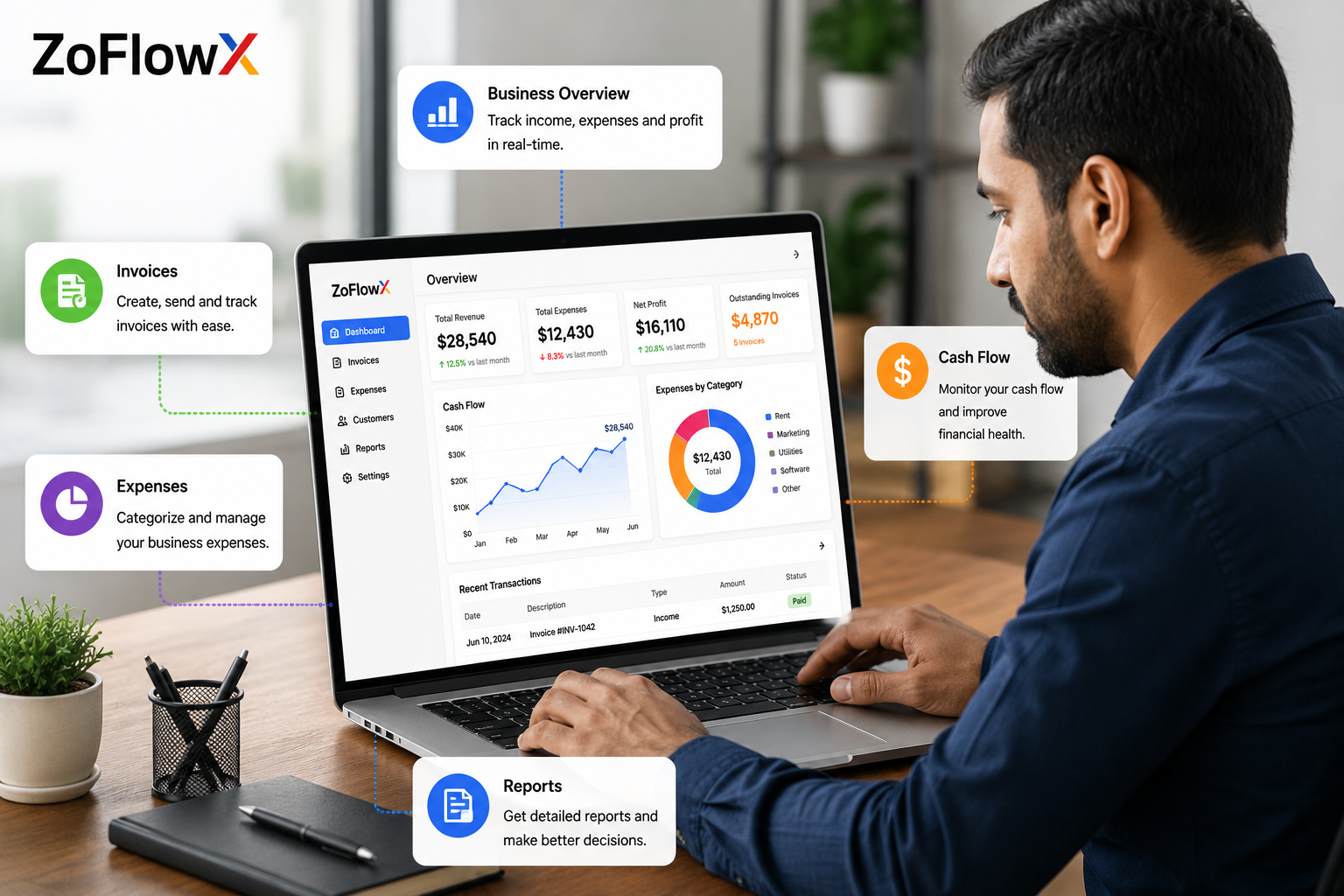
The main functionalities of Zoho Books include invoicing, expense tracking, banking and reconciliation, inventory, project billing, and financial reporting. They span the entire money cycle of a small business from quote to paid invoice to filed return. Here is what you actually get out of the box.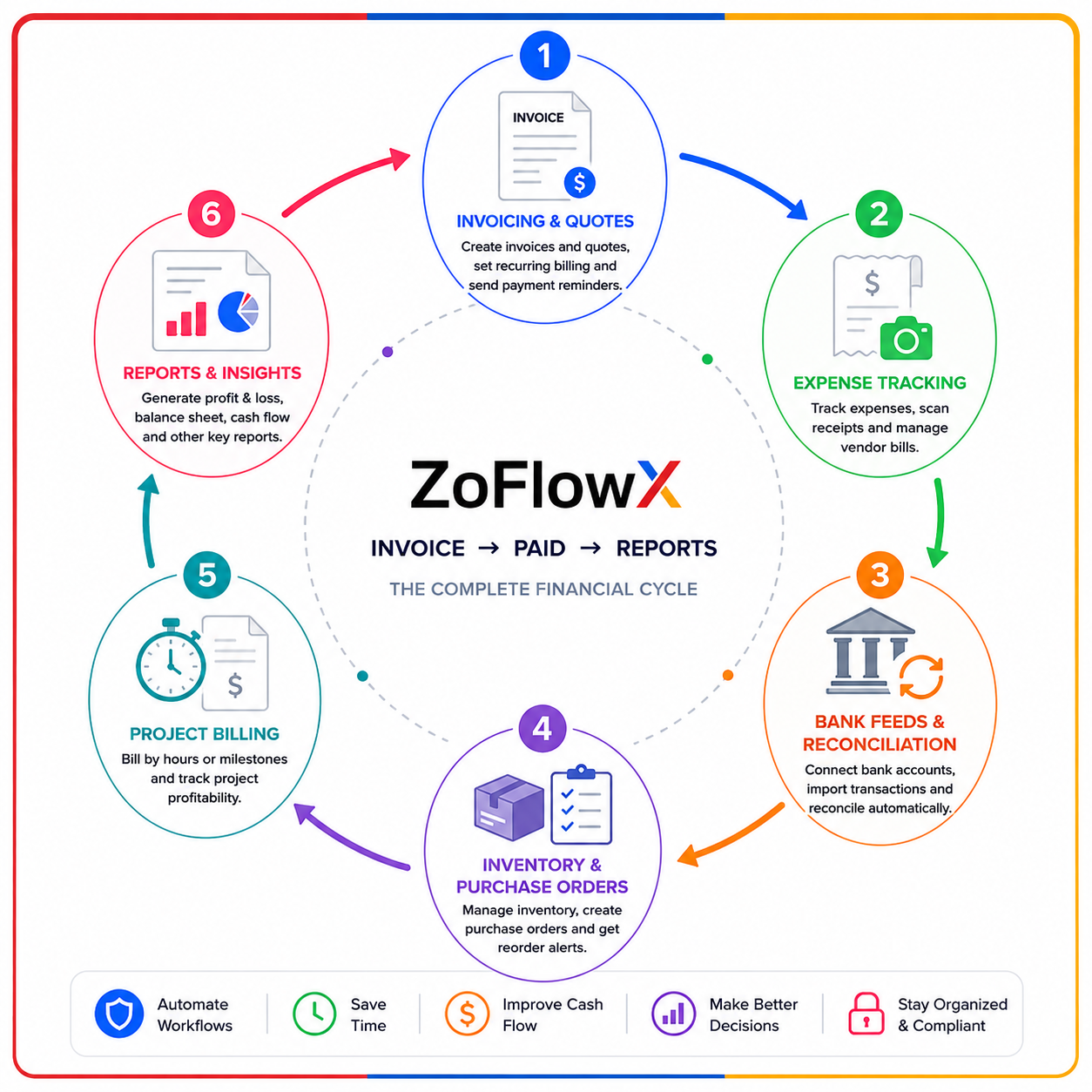
How Does Zoho Books Handle Invoicing and Payments?
You can generate branded invoices, schedule them to be sent to retainer clients and accept online payments via gateways such as Razorpay, Stripe or PayPal. Reminders for overdue items are sent separately, so cash flow isn't hindered by chasing.
How Does Expense Tracking and Bank Reconciliation Work?
You take or upload a receipt, classify the expense and Zoho Books saves it. Link your bank and have feeds pull in automatically, then compare to your entries. Reconciliation which used to take an afternoon is now a weekly check.
Does Zoho Books Do Inventory and Project Billing?
Yes. Stock levels can be monitored, reorder points can be set, and purchase orders can be raised, and project billing allows hours to be logged and billed by milestone. This is helpful for businesses and service providers that require both.Want Zoho Books Set Up Correctly the First Time?
We configure invoicing, GST, bank feeds and reports so your accounting works from day one. Tell us where you are stuck.
💬 Chat With Us on WhatsAppHow Much Does Zoho Books Cost in India?
Zoho Books has six India plans: Free (₹0), Standard (₹899), Professional (₹1,499), Premium (₹2,999), Elite (₹5,999) and Ultimate (₹9,999), per organisation per month, excluding 18% GST. Annual billing reduces costs by approximately 17%. The prices are subject to change, so please check the latest prices on the official Zoho's India Books pricing page before purchasing. For most small service businesses, the best plan is Professional.| Plan | Price (per org, per month) | Best suited for |
|---|---|---|
| Free | ₹0 (turnover under ₹25 lakh) | Freelancers and solo owners, 1 user plus 1 accountant. |
| Standard | ₹899 | Small businesses, up to 3 users, 1 GSTIN. |
| Professional | ₹1,499 | Growing SMBs needing inventory and 2 GSTINs. |
| Premium | ₹2,999 | Larger teams wanting vendor portal and more automation. |
| Elite | ₹5,999 | Advanced inventory and multi-branch operations. |
| Ultimate | ₹9,999 | High invoice volume and advanced analytics. |
Is There Really a Free Zoho Books Plan?
Yes. Zoho Books is truly a free plan, with no time limit, for businesses with annual turnover of less than ₹25 lakh. It includes one user, one accountant, and the basics of accounting, which is sufficient for many freelancers and very small businesses.
What Do the Paid Zoho Books Plans Include?
The paid tiers include capacity and features: more users, more GSTINs, deeper automation, inventory, vendor portals and advanced reporting. Additional users are charged at approximately ₹180 per user per month or ₹150 per user per year. Choose the tier based on your invoice size and team size, not the length of your feature list.How Does Zoho Books Handle GST and E-Invoicing in India?
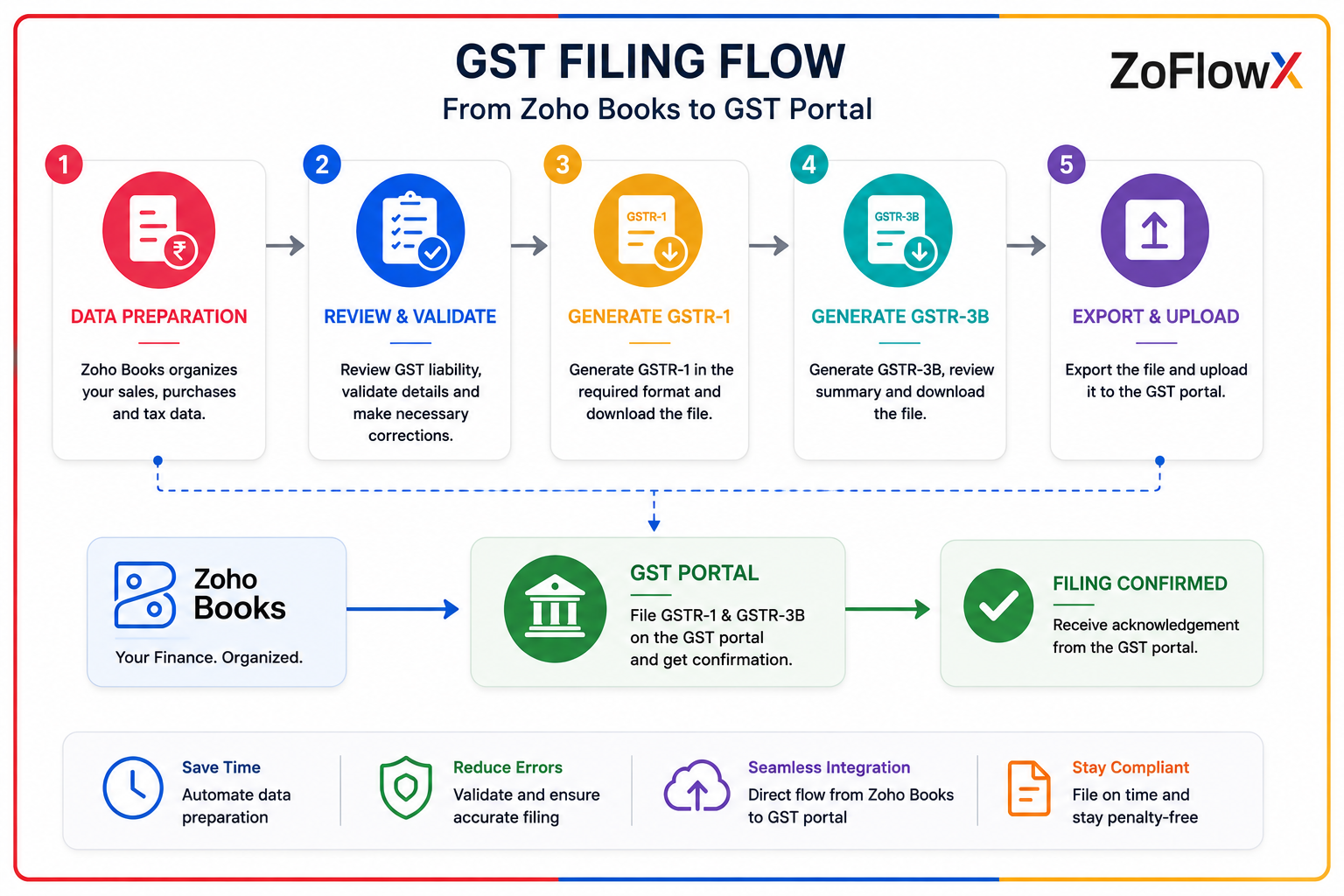
Zoho is a registered GST Suvidha Provider (GSP) and you can file GST returns from within Zoho Books without having to log in to the GST portal. It also creates e-invoices, e-way bills and validates GSTINs. For Indian businesses this is the real advantage over generic accounting tools. You set up GST once, enter your 15-digit GSTIN, and the software applies the right tax on every invoice. Getting this right is one of the biggest reasons Indian businesses invest in a proper zoho books accounting software setup.- ➤ File GST returns directly (GSTR-1, GSTR-3B) as a GSP.
- ➤ Generate e-invoices with IRN and QR codes.
- ➤ Create e-way bills for goods movement.
- ➤ Manage multiple GSTINs on higher plans.
How Do You Set Up Zoho Books? (Step by Step)
The process of setting up Zoho Books is a simple one and involves four basic steps: Create your organisation, Configure GST, Connect your bank, and Import opening balances. Most small businesses can live within a day.- Sign up and create your organisation. Enter your business name, type, fiscal year (April to March in India) and base currency.
- Configure GST. Go to Settings, then Taxes, enable GST and enter your GSTIN.
- Connect your bank for automatic feeds, and set up payment gateways.
- Import contacts, items and opening balances from your old system.
Not Sure Which Zoho Books Plan Fits Your Business?
Book a quick call and we will recommend the right plan for your invoice volume and team, plus a clean Tally migration.
Book a Free Zoho Books Call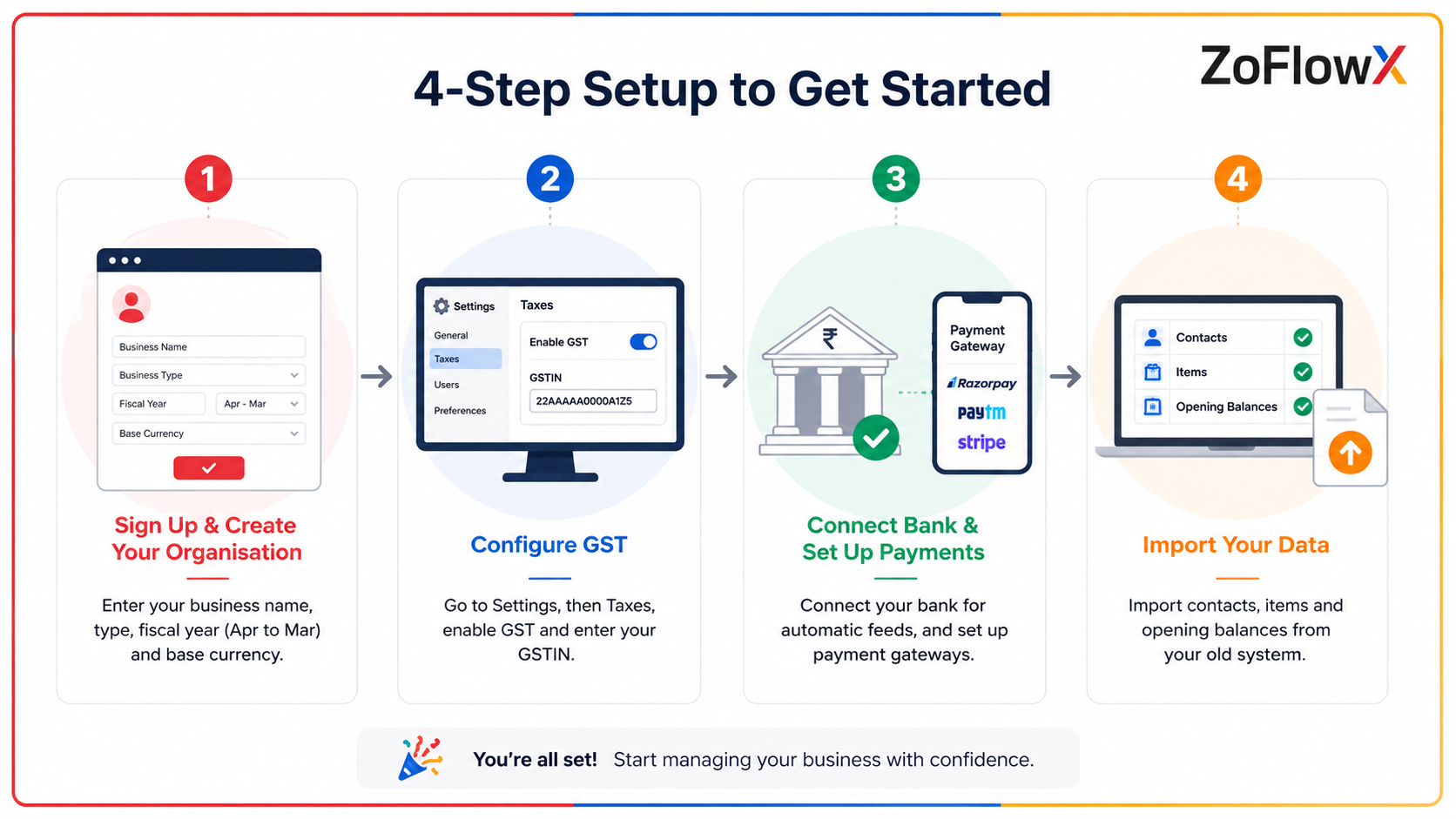
What Can You Automate in Zoho Books?
Zoho Books can automate recurring invoices, payment reminders, bank feed matching, workflow alerts and scheduled reports. This cuts repetitive data entry and helps you get paid faster.- ➤ Recurring invoices for retainer and subscription clients.
- ➤ Automatic reminders before and after a due date.
- ➤ Workflow rules that trigger email alerts on high-value or overdue invoices.
- ➤ Scheduled reports sent to you or your accountant.
Zoho Books vs Tally: Which Is Better for Small Businesses?
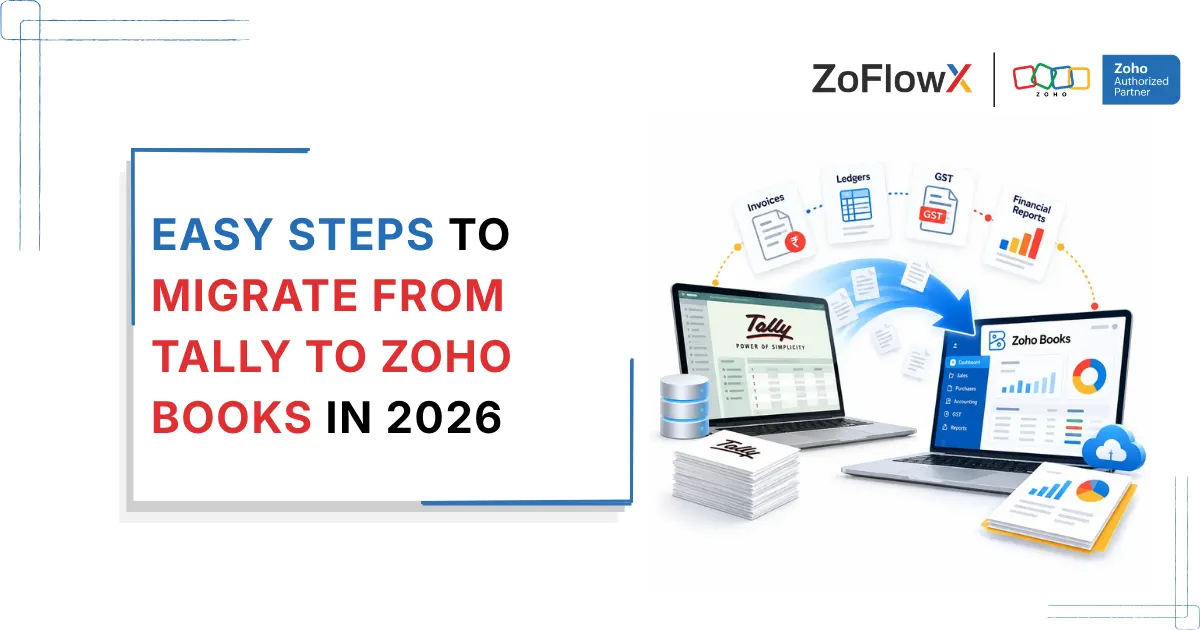
Zoho Books is strong on cloud access, integrations and a modern interface, while Tally is robust for offline use and is well known to many Indian accountants. The decision will be based on whether you're looking for anywhere-access and automation or a tried-and-tested on-premise solution.| Factor | Zoho Books | Tally |
|---|---|---|
| Access | Cloud, from any device. | Mostly desktop and on-premise. |
| Updates | Automatic. | Manual installs. |
| Integrations | 50+ Zoho apps plus Razorpay, Stripe. | More limited. |
| GST filing | File directly as a GSP. | Supported, less connected. |
| Learning curve | Modern, beginner-friendly. | Familiar to existing Tally users. |
Which Zoho Books Plan Should a Small Business Choose?
Most small service businesses are best on Professional, freelancers under ₹25 lakh start free and product businesses with inventory and multiple branches move to Premium or Elite. Compare the plan with your invoice volume, user count and GSTIN requirements. If you trade across states or run heavy stock, do not under-buy and end up upgrading mid-year. If you are unsure, working with a zoho consulting partner in India can save you from paying for features you will never use.What Are the Pros and Cons of Zoho Books?
Zoho Books is affordable, India-ready for GST, and tightly integrated with the Zoho suite, but it works best when you stay inside that ecosystem and has fewer third-party integrations than some rivals. Here is the honest balance.- ➤ Pro: genuine free plan and low entry pricing.
- ➤ Pro: direct GST filing, e-invoicing and e-way bills.
- ➤ Pro: clean interface and strong mobile app.
- ➤ Con: best value only if you use other Zoho apps.
- ➤ Con: fewer non-Zoho integrations than QuickBooks or Xero.
Conclusion
Zoho Books is a practical, affordable accounting choice for small businesses, especially in India where direct GST filing and a free starter plan remove real friction. Set it up properly once and it quietly runs the money side of your business. If you would rather hand the setup to a specialist, you can email info@zoflowx.com, call +91 8190009222, or simply send us your requirement and we will take it from there.Final Thoughts
The best accounting tool is the one your team actually keeps up to date. Zoho Books makes that easier by putting invoicing, GST and reports in one simple place.
Frequently Asked Questions
What is Zoho Books used for?
Zoho Books is cloud accounting software used to manage invoicing, expenses, banking, inventory, GST and financial reports for small and medium businesses.
Is Zoho Books free?
Yes. Zoho Books has a free plan with no time limit for businesses in India with annual turnover under ₹25 lakh, covering one user plus one accountant.
How much does Zoho Books cost in India?
Paid Zoho Books plans in India range from ₹899 to ₹9,999 per organisation per month, excluding 18% GST. Annual billing saves about 17%.
Can I file GST returns from Zoho Books?
Yes. Zoho is a registered GST Suvidha Provider, so you can file GST returns like GSTR-1 and GSTR-3B directly from Zoho Books without using the GST portal.
Does Zoho Books support e-invoicing and e-way bills?
Yes. Zoho Books generates e-invoices with IRN and QR codes and creates e-way bills, helping Indian businesses stay GST compliant.
Is Zoho Books better than Tally?
Zoho Books is better for cloud access, automation and integrations, while Tally suits businesses that prefer offline software and have accountants already trained on it.
Which Zoho Books plan is best for a small business?
The Professional plan suits most small service businesses, freelancers can start free, and product businesses with inventory often need Premium or Elite.
Can Zoho Books handle inventory?
Yes. Zoho Books tracks stock levels, sets reorder points and manages purchase orders, with deeper inventory features on higher plans.
How long does it take to set up Zoho Books?
Most small businesses can set up Zoho Books in under a day, covering organisation creation, GST settings, bank connection and data import.
Does Zoho Books work with other Zoho apps?
Yes. Zoho Books integrates with Zoho CRM, Inventory, Payroll, Projects and Analytics, plus payment gateways like Razorpay, Stripe and PayPal.