What Is Zoho CRM Implementation? A Beginner-Friendly Guide
- Zoho CRM implementation is the process of preparing, configuring, testing, and launching Zoho CRM for your business.
- It involves more than creating an account and importing contacts.
- A typical implementation includes understanding your business process, setting up fields and modules, configuring workflows, migrating data, testing, training users, and going live.
- The right setup depends on how your team actually manages leads, customers, and sales.
- Good planning helps avoid messy data, confusing workflows, and poor user adoption.
What Is Zoho CRM Implementation?
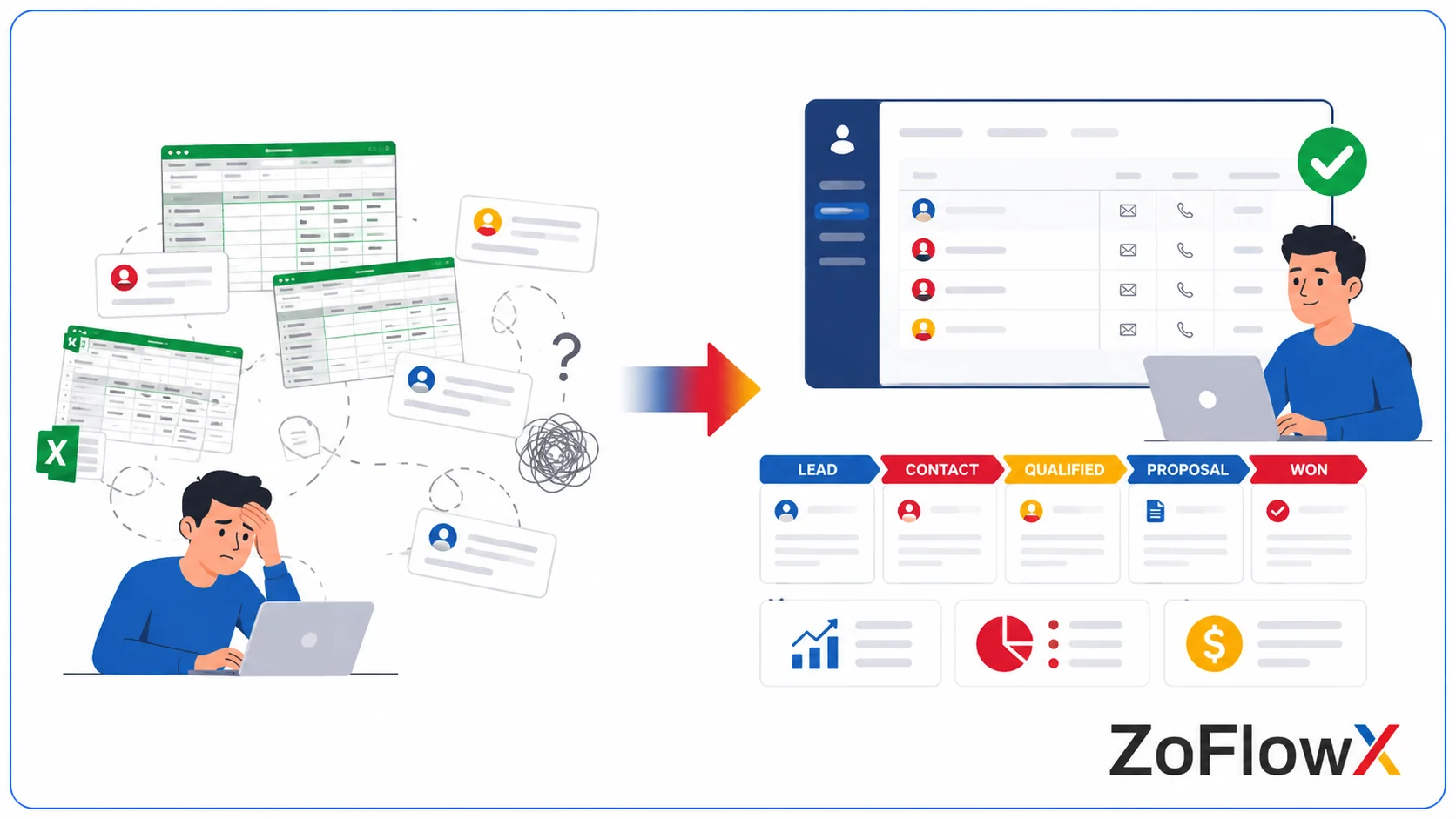
Zoho CRM implementation is the process of setting up and configuring Zoho CRM to match the way your business manages leads, customers, sales, and follow-ups. It can include planning your CRM structure, creating fields and modules, configuring workflows, migrating data, testing the system, training users, and going live.
Creating a Zoho CRM account is only the starting point. Implementation is the work that turns that account into a system your team can use every day.
For example, a real estate company may need to track property type, budget, location, and site visits. A SaaS company may need to track trial dates, subscriptions, and product interest. Zoho CRM implementation helps create a structure that fits those different needs.
What Does Zoho CRM Implementation Actually Mean?
Think of Zoho CRM as an empty workspace when you first start.
The implementation process decides what information should be stored, who should access it, how leads move through the sales process, and what actions should happen automatically.
A proper implementation may include:
- Understanding your current sales process.
- Deciding which modules and fields you need.
- Setting up sales stages.
- Creating workflows and automation.
- Importing existing customer data.
- Setting user roles and permissions.
- Testing the CRM before launch.
- Training your team.
- Going live and improving the system over time.
According to Zoho CRM, CRM can be configured with modules, automation, analytics, and customization features to support different business processes. The important part is deciding how those features should be used for your business.
What Is the Difference Between Zoho CRM Setup and Implementation?
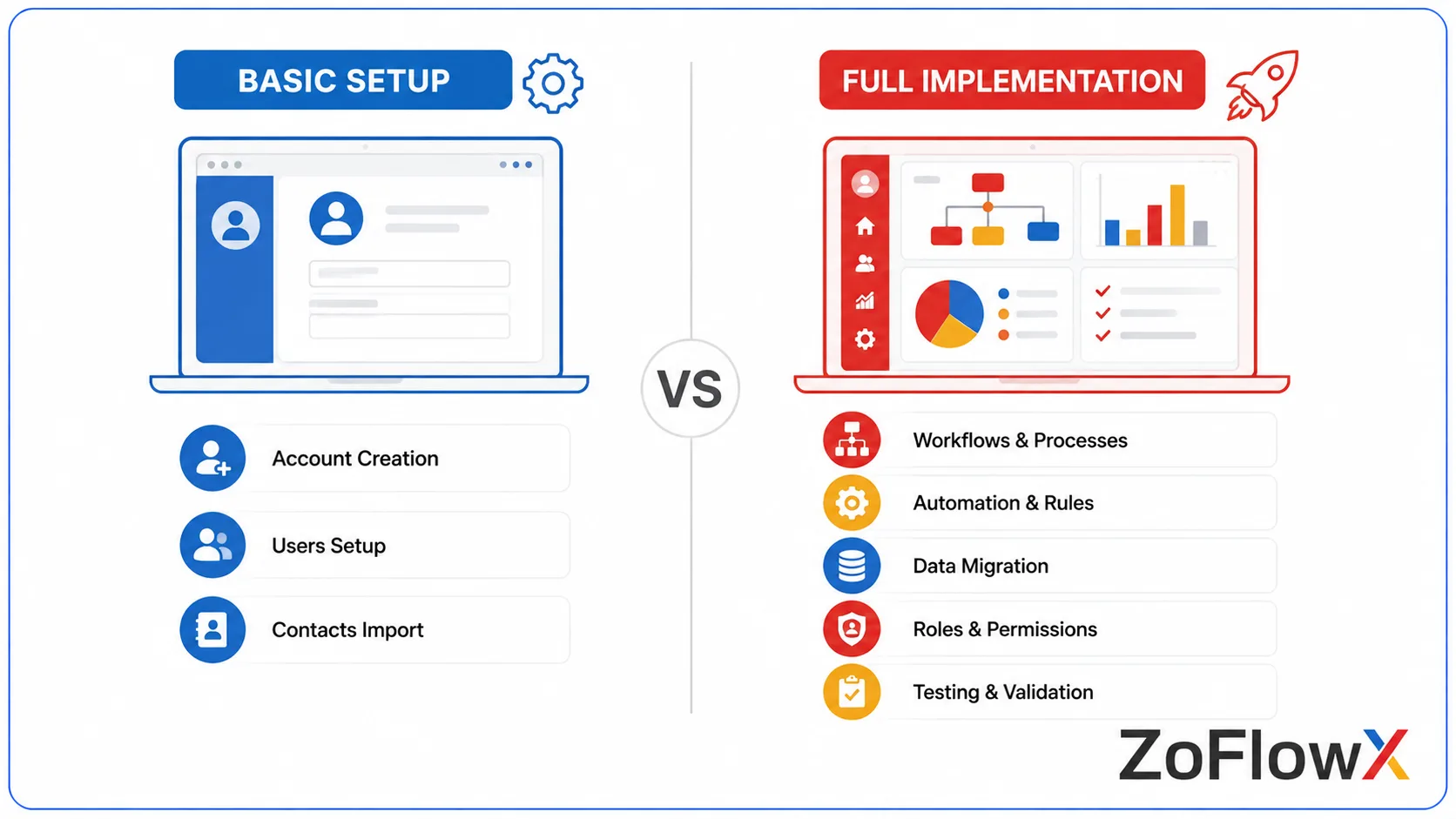
Zoho CRM setup usually refers to the basic work needed to get started. This may include creating an account, adding users, and entering some customer information.
Zoho CRM implementation is broader. It looks at how the CRM should support your actual business process.
Basic Setup
A basic setup might include:
- Creating your Zoho CRM account.
- Adding users.
- Adding leads and contacts.
- Creating a simple sales pipeline.
Full Implementation
A more complete implementation may involve:
- Understanding your business requirements.
- Designing the CRM structure.
- Creating custom fields and layouts.
- Setting up automation.
- Migrating existing data.
- Testing the configuration.
- Training users.
- Preparing the system for go-live.
If your requirements are more complex, a professional Zoho CRM setup can help ensure the CRM is configured around your actual business process rather than using a generic structure.
Why Does Zoho CRM Need Proper Implementation?
A CRM can become difficult to use when it is configured without understanding how the team actually works.
For example, sales representatives may see too many unnecessary fields. Different employees may enter the same information in different formats. Important follow-ups may depend on someone remembering to create a task manually.
A structured implementation helps reduce these problems.
The goal is not to add as many fields and automation rules as possible. The goal is to make Zoho CRM simple enough for your team to use while still capturing the information your business needs.
What Problems Can Happen Without a Clear CRM Structure?
When a CRM is rushed or poorly planned, businesses may face problems such as:
- Duplicate customer records.
- Confusing sales stages.
- Missing or unnecessary fields.
- Missed follow-ups.
- Inconsistent data entry.
- Reports that do not answer useful questions.
- Employees returning to spreadsheets or other tools.
These problems do not always mean that the CRM itself is the issue. Sometimes, the problem is that the system was never properly designed around the team's workflow.
What Are the Main Steps in Zoho CRM Implementation?
The exact process will vary depending on your business. However, most implementations follow a similar path.
If you want a more detailed walkthrough, you can also read our guide on the steps involved in implementing Zoho CRM.
1. How Do You Understand Your Business Requirements?

The first step is understanding how your business currently handles leads and customers.
You should identify:
- Where leads come from.
- Who handles them?
- What happens after a lead is received.
- How deals move through the sales process.
- What information your team needs.
- Where follow-ups are currently missed.
You do not need a perfect process before starting. But you should understand your current process well enough to decide what needs to be improved.
2. How Do You Design the CRM Structure?
Once you understand the process, you can decide how it should appear inside Zoho CRM.
This may involve choosing:
- Modules to use.
- Fields to create.
- Sales stages.
- Page layouts.
- User roles.
- Reports and dashboards.
For example, a consulting company may need fields for service interest and project size. An e-commerce business may need to track product categories and order-related information.
The structure should make sense to the people who use it every day.
3. How Is Zoho CRM Configured?
Configuration is the stage where the planned structure is built inside Zoho CRM.
This may include:
- Creating custom fields.
- Setting up layouts.
- Building sales pipelines.
- Creating validation rules.
- Setting up user permissions.
- Configuring workflows.
- Creating email templates.
- Building reports and dashboards.
This is also where businesses may focus on tailoring Zoho CRM to your workflow when the standard CRM structure does not fully match their sales process.
The goal is to make the system useful without making it unnecessarily complicated.
4. How Do You Move Existing Data into Zoho CRM?
If you currently use spreadsheets or another CRM, your existing data needs to be reviewed before it is imported.
This may include:
- Removing duplicate records.
- Fixing inconsistent values.
- Checking missing information.
- Mapping old fields to Zoho CRM fields.
- Testing the import with a small set of records.
A rushed migration can bring old data problems into the new system. If you are planning moving existing CRM data into Zoho, cleaning and checking the data first is an important part of the process.
5. Why Should You Test Zoho CRM Before Going Live?
Testing helps identify problems before the entire team starts using the system.
You can test questions such as:
- Does a new lead enter the correct workflow?
- Are tasks assigned to the right person?
- Do automated emails work correctly?
- Are users able to access only the information they need?
- Do reports show the expected information?
Testing with real business scenarios is more useful than simply checking whether a field or workflow exists.
6. Why Is User Training Important?
A well-configured CRM can still fail if employees do not understand how to use it.
Training should explain:
- What each team member needs to do.
- Which fields are required.
- How leads should move through the pipeline.
- How to create follow-ups.
- How to find customer information.
- How to use the reports relevant to their role.
7. What Happens During Zoho CRM Go-Live?
Go-live is the point when your team starts using Zoho CRM as part of its regular work.
Before going live, it is useful to confirm that:
- Data has been checked.
- Users have the correct permissions.
- Important workflows have been tested.
- Reports are working.
- Team members understand their responsibilities.
Going live does not mean the implementation is permanently finished. As your business changes, you may need to adjust fields, workflows, reports, or processes.
What Should You Prepare Before Implementing Zoho CRM?
Preparation can make the implementation process smoother.
Before you start, try to collect the following information:
Your Current Sales Process
Document how a lead moves from the first enquiry to a closed deal. Even a simple list can help identify missing steps and repeated tasks.
Your Data
Gather customers, lead, contact, and deal information from spreadsheets or existing systems. Check for duplicate or outdated records before migration.
Your Team Requirements
Different teams may need different information. A salesperson may need deal details, while a manager may need pipeline reports and forecasts.
Your Goals
Decide what you want the CRM to improve.
For example:
- Fewer missed follow-ups.
- Better visibility into deals.
- Cleaner customer data.
- Faster lead assignment.
- More consistent reporting.
Clear goals make it easier to decide what should and should not be included in the first version of your CRM.
What Does Zoho CRM Configuration Include?
Zoho CRM configuration can include many features, but not every business needs all of them.
Fields and Layouts
Custom fields allow you to collect information that matters to your business.
Layouts help control how that information is displayed to users.
Sales Pipelines
A pipeline shows the stages a deal goes through.
For example:
New Lead → Qualified → Proposal Sent → Negotiation → Closed
Your actual stages should reflect how your business sells.
Workflow Automation
Automation can reduce repetitive tasks.
For example, Zoho CRM can be configured to create a follow-up task when a new lead is assigned or notify a manager when a deal reaches a certain stage.
Roles and Permissions
Not every employee needs access to every record.
Roles and permissions help control who can view, edit, or manage different types of information.
Reports and Dashboards
Reports help answer questions about sales activity, leads, deals, and other business data.
Dashboards can bring important numbers into one view for managers and teams.
Can a Small Business Implement Zoho CRM?
Yes. A small business can start with a simple implementation.
You do not need advanced automation, custom modules, or complex integrations on day one.
A small business may begin with:
- Leads.
- Contacts.
- Deals.
- A simple sales pipeline.
- Basic follow-up reminders.
- A few useful reports.
The system can then be expanded as the business grows.
Starting simple is often easier than trying to build every possible feature before the team has started using the CRM.
When Does Zoho CRM Implementation Become More Complex?
Implementation usually becomes more complex when a business has several teams, detailed processes, large amounts of data, or multiple connected systems.
Common examples include:
- Multiple sales pipelines.
- Custom modules.
- Complex approval processes.
- Advanced automation.
- Integrations with other software.
- Large data migrations.
- Different access requirements for different teams.
At this stage, planning becomes even more important because changes in one part of the CRM can affect another part.
What Are the Most Common Zoho CRM Implementation Mistakes?
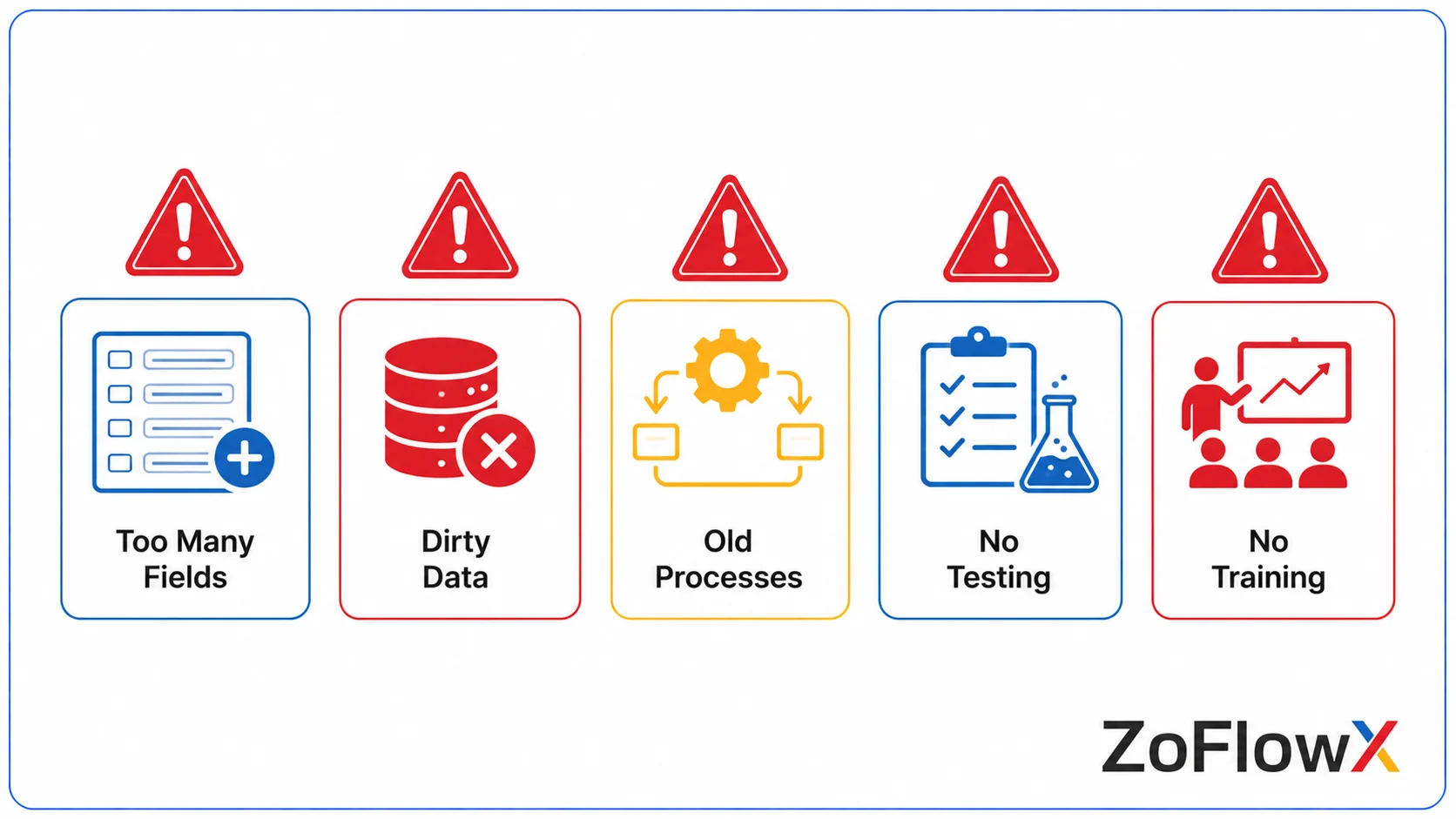
Adding Too Many Fields
More fields do not automatically mean better data.
If employees have to complete unnecessary information, they may enter poor-quality data or avoid using the CRM.
Copying an Old Process Without Reviewing It
Moving an inefficient spreadsheet process directly into a CRM does not fix the underlying problem.
Use implementation as a chance to review what should stay, change, or be removed.
Migrating Dirty Data
Old duplicate records and inconsistent values can create problems in the new CRM.
Clean the data before importing it.
Skipping Testing
A workflow may look correct during setup but behave differently when used with real records.
Test important scenarios before go-live.
Skipping User Training
Employees need to understand how the system fits into their work.
A short, role-based training session can be more useful than a long demonstration of every CRM feature.
How Long Does Zoho CRM Implementation Take?
There is no single timeline that applies to every business.
A simple setup with basic modules and a straightforward sales process may take much less time than an implementation involving multiple teams, integrations, custom workflows, and large amounts of data.
The timeline usually depends on:
- The number of users.
- The complexity of your sales process.
- The amount of customization required.
- The quality and volume of existing data.
- Required integrations.
- Testing and training needs.
It is better to focus on completing the important steps properly than choosing an arbitrary timeline.
What Should You Expect After Zoho CRM Goes Live?
After go-live, the focus shifts from building the system to using and improving it.
Better Visibility
Teams can see customer information, activities, and deal progress in one place.
Managers can use reports and dashboards to understand what is happening in the sales process.
More Structured Follow-Ups
Tasks and workflows can help ensure important follow-ups are not forgotten.
The exact process depends on how the CRM has been configured.
Cleaner Data
Validation rules and consistent processes can help improve data quality over time.
However, the team still needs to enter and maintain information correctly.
Ongoing Improvements
As your business changes, your CRM may also need to change.
You may later add new fields, workflows, reports, users, or integrations based on what the team actually needs.
What Is Zoho CRM Implementation Not?
Understanding what implementation does not mean can help beginners set realistic expectations.
It Is Not Just Creating an Account
Signing up gives you access to the software.
Implementation is the process of preparing that software for your business.
It Is Not Just Importing Contacts
Data import is one part of the process.
The CRM also needs a clear structure for managing that information.
It Is Not a One-Time Activity
Your first implementation creates a starting point.
As your business process changes, you may need to review and improve the CRM.
How Do You Know If Your Zoho CRM Implementation Is Working?
A successful implementation should make daily work easier and provide useful information.
You can look for signs such as:
- Team members are regularly using the CRM.
- Leads and deals follow a clear process.
- Important follow-ups are less likely to be missed.
- Customer information is easier to find.
- Reports provide useful information.
- The team is not maintaining the same data in several places.
The best measure is not how many features have been configured. It is whether the CRM helps your team work more clearly and consistently.
Conclusion
Zoho CRM implementation is the process of turning Zoho CRM from a software account into a system that supports the way your business manages leads, customers, deals, and follow-ups.
Start by understanding your process, deciding what information matters, configuring the right structure, cleaning your data, testing the system, and training your team. A simple and well-planned Zoho CRM implementation is often more useful than a complex system filled with features nobody uses.
If you are planning your next step and need help understanding what your business requires, you can contact ZoFlowX at +91 8190009222 or info@zoflowx.com. Taking the time to plan your Zoho CRM implementation properly can help you make a more confident decision and build a CRM your team is ready to use.
Frequently Asked Questions
What is Zoho CRM implementation?
Zoho CRM implementation is the process of preparing, configuring, testing, and launching Zoho CRM for a business. It may include business requirement analysis, CRM configuration, data migration, automation, testing, user training, and go-live.
What is the difference between Zoho CRM setup and implementation?
Basic setup usually covers the initial steps, such as creating an account, adding users, and entering data. Implementation is broader and includes planning the CRM structure, configuring processes, testing, training users, and preparing the system for regular use.
Can I implement Zoho CRM myself?
Yes, businesses with simple requirements can handle a basic setup themselves. More complex requirements, such as custom modules, integrations, large data migrations, or advanced workflows, may require additional planning or expert help.
How long does Zoho CRM implementation take?
The timeline depends on the complexity of the business process, data, customization, integrations, testing, and training. A simple implementation can take less time than a multi-team project with complex requirements.
Do I need to migrate my existing data to Zoho CRM?
If you currently store customer information in spreadsheets or another CRM, you can migrate that data to Zoho CRM. It is important to review and clean the data before importing it.
Why is user training important after implementation?
Training helps employees understand how the CRM fits into their daily work. Without clear guidance, users may enter inconsistent data or return to their old processes.
What should I prepare before implementing Zoho CRM?
Prepare your current sales process, existing customer data, team requirements, access requirements, and clear goals for what you want the CRM to improve.