Switching from Spreadsheets to Zoho Inventory: Why Manufacturers Should Upgrade
- Switching from Spreadsheets to Zoho Inventory replaces manual stock entry with live stock counts that update themselves every time you sell, buy or build something.
- Spreadsheets are free to create, but expensive to suffer from stockouts, dead stock, incorrect quotes, and hours spent correcting formulas.
- A sheet can't provide batch and serial tracking, multi-warehouse visibility, reorder alerts, purchase orders, or real reporting, which Zoho Inventory can.
- The paid plans begin at $29 per organisation per month on an annual subscription, and there is a free plan for very small operations.
- A typical Excel to Zoho Inventory move takes two to six weeks depending on how clean your item master is.
- Typically, manufacturers with multiple storage sites or those who are monitoring raw material to finished goods will see the benefit within the first month.
Switching from Spreadsheets to Zoho Inventory means moving your stock records out of Excel or Google Sheets and into a purpose-built inventory system that updates stock levels automatically as orders, purchases and production happen. Zoho Inventory is cloud-based stock and order management software that tracks items across warehouses, handles purchase and sales orders, warns you before you run out, and gives you reports a spreadsheet cannot. For most manufacturers, the answer is yes, make the move, and the honest reason is accuracy rather than fancy features.
Let us look at when it is worthwhile, what it costs, and what actually happens during the transition.
What Does Moving Off a Spreadsheet System Actually Involve?
When you moving from Spreadsheets to Zoho Inventory, you need to clean your item list, import items, open stock, suppliers and customers in Zoho, configure your warehouses and reorder levels, and then run both systems side by side for a while before you turn off the spreadsheet forever.
It is less dramatic than most owners expect. Your data is already in rows and columns, which is exactly the format Zoho Inventory imports from.
The hard part is never the software. It is deciding which of your four slightly different item lists is the right one.
What Is a Spreadsheet-Based Stock System, Really?
A spreadsheet stock system is a manual ledger. Somebody types in what came in, somebody types in what went out, and the closing balance is a formula.
It works beautifully for a while. It breaks the moment two people need to update it at once, or someone deletes a row by accident.
Common signs you are running one: a master file called something like Stocks Details, a WhatsApp group where people ask "what is the current qty of item 4402", and a monthly physical count that never matches the sheet.
What Is Zoho Inventory in Plain Language?
Zoho Inventory is stock and order management software from Zoho. Instead of typing in stock movements, you record the actual business events: a purchase order, a goods receipt, a sales order, a shipment.
Stock levels then move on their own. You are not maintaining a number, you are recording what happened, and the number takes care of itself.
According to ZoFlowX, this single shift, from maintaining balances to recording transactions, is what eliminates most of the errors our manufacturing clients had to deal with.
Why Do Spreadsheets Break Down as a Factory Grows?
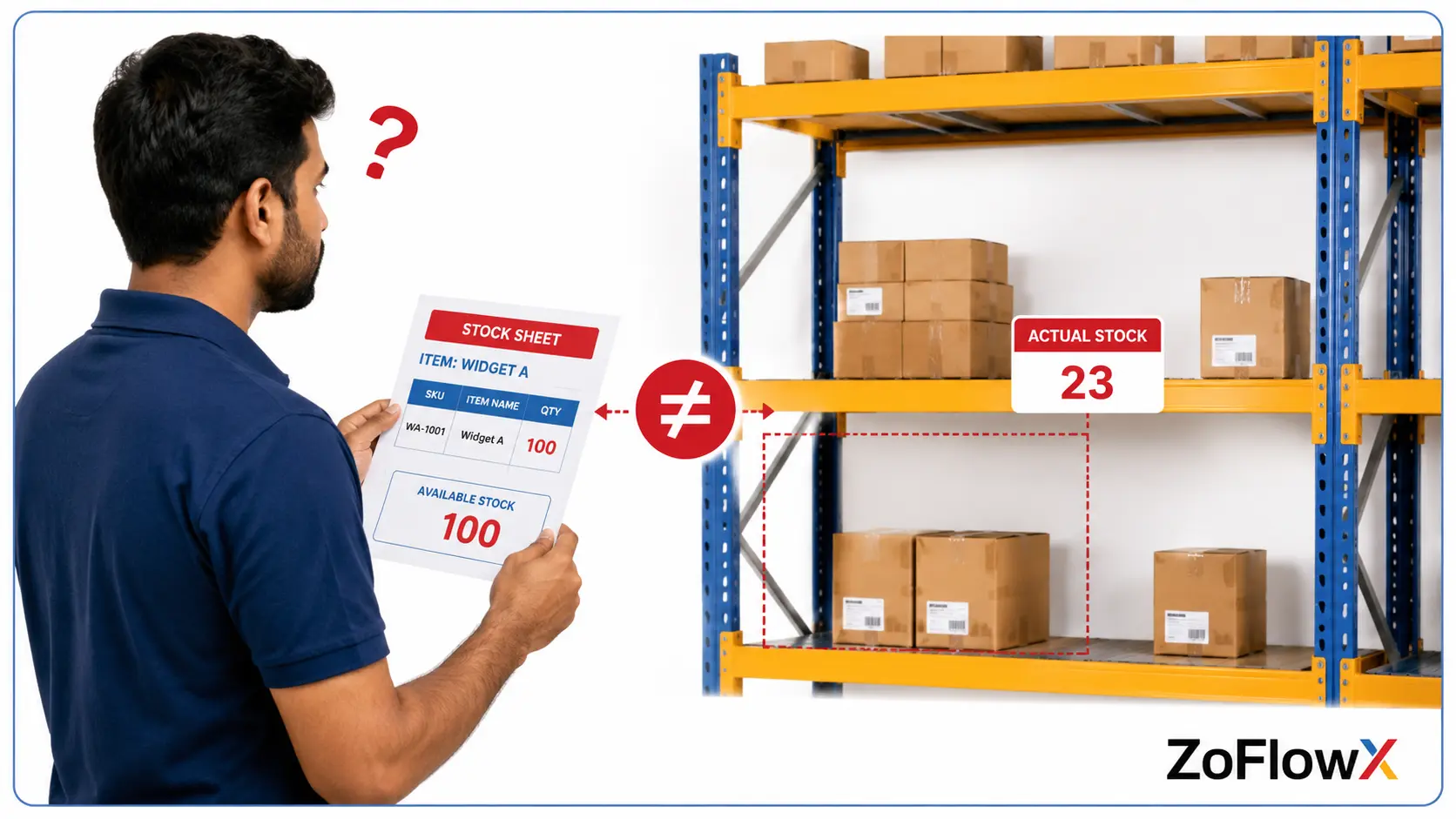
Spreadsheets break because they have no controls. Anyone can overwrite a cell, formulas silently break when rows are inserted, only one person can edit reliably at a time, and there is no audit trail showing who changed what. None of these matter at 50 items. All of them matter at 500.
Here is what usually goes wrong, in the order it tends to happen:
- Two people keep separate copies and the numbers get lost
- A pasted row breaks a formula and nobody notices for weeks
- Stock on the sheet says 40, the shelf has 12, and a customer is waiting
- Raw material issued to production is never deducted properly
- Nobody can tell you what stock looked like last Tuesday
A real scenario: A pump component unit near Coimbatore tracked 380 SKUs in one shared sheet. Two storekeepers updated it, plus the accounts person. During a rush month, a filter housing showed 60 units in stock. There were 9. The line stopped for four days waiting on a supplier, and a repeat customer went elsewhere. The sheet was not intentionally incorrect. It simply couldn't be right.
What Do Stock Errors Actually Cost a Manufacturer?
The visible cost is the emergency purchase at a bad price. The invisible costs are bigger.
Think about cash sitting in dead stock nobody knew you had, quotes given on material you do not own, and the two days a month your team spends reconciling rather than producing.
Add it up honestly. Most small manufacturers find the number is several times the annual cost of good software.
Can More Than One Person Update Stock Safely in Excel?
Not reliably. Even in a shared cloud sheet, there is no concept of a locked transaction, no approval step and no record of who changed a quantity from 40 to 60.
Zoho Inventory gives each user a role, logs every movement against a document, and stops people editing history casually. That is the difference between a record and a note.
Which Capabilities Do You Gain the Day You Move Across?
Replacing Spreadsheets with Zoho Inventory gives you live stock across multiple warehouses, batch and serial number tracking, automatic reorder alerts, purchase and sales order workflows, barcode scanning, and reports on stock ageing and item movement. A spreadsheet can imitate a few of these, but only if somebody maintains them by hand.
Capability | Spreadsheet | Zoho Inventory |
Live stock balance | Manual, only as fresh as the last entry | Updates automatically on every transaction |
Multiple warehouses or godowns | Separate tabs, easy to mismatch | Single view across all locations |
Batch and expiry tracking | Very hard to maintain | Built in |
Serial number tracking | Practically impossible | Built in on higher plans |
Reorder level alerts | Manual checking | Automatic notification |
Purchase orders and goods receipt | Typed separately, often in Word | Full document flow with status |
Barcode scanning | Not available | Supported |
Audit trail of who changed what | None | Complete history |
Reports on stock ageing and movement | Build them yourself, every time | Ready-made reports |
Works on a phone in the store room | Painful | Yes, mobile app |
Does It Connect to the Rest of Your Business?
Yes, and this is where the value compounds. Zoho Inventory links to Zoho Books for accounting, Zoho CRM for customer and order data, and to ecommerce and shipping platforms.
So a sales order raised by your sales team reduces stock, triggers a purchase suggestion, and lands in your books without anyone re-typing it. The spreadsheet version of that workflow is four people and three copy-paste steps.
How Do the Two Compare on Reporting and Insights?
A spreadsheet reports on what you typed into it. Zoho Inventory reports on what actually happened, which means stock ageing, fast and slow moving items, warehouse-wise valuation, purchase trends and committed stock are available on demand without anyone building a pivot table first.
Ask yourself three questions right now:
- Which items have not moved in 180 days?
- What is my closing stock value per warehouse at the end of the of last month?
- How much stock is committed to open sales orders?
If answering those takes more than a minute, that is the gap. In Zoho Inventory each of those is a standard report.
A real Case: A packaging unit in Tirunelveli discovered, in its first month on Zoho Inventory, that around 11% of its stock value sat in items untouched for over a year. That material had been quietly bought and re-bought because nobody could see it. That money was used to pay for the subscription many times over.
What Does Zoho Inventory Cost Compared to a Free Spreadsheet?
Zoho Inventory has a free plan for very small operations, and paid plans that start at $29 per organisation per month on annual billing. At the entry levels it is charged per organisation, not per user, meaning that a small team is not being penalised for having a second storekeeper.
Plan | Billed annually | Billed monthly | Suited to |
Free | $0 | $0 | Very low order volume, one user, one location |
Standard | $29 per month | $39 per month | Small manufacturers, up to 500 orders a month, 3 users |
Premium | $79 per month | $99 per month | Growing units needing more locations and volume |
Plus | $129 per month | $159 per month | Higher order volume and more users |
Enterprise | $249 per month | $299 per month | Multi-location operations with complex needs |
Pricing is shown in USD and India billing is in INR, so confirm your exact rate and plan limits on the official Zoho Inventory pricing page before you subscribe. Plan limits on orders, users and locations matter more than the headline price, so check those against your monthly volumes.
Is a Free Spreadsheet Really Free?
No, and this is the calculation most owners skip. Put a rough number against these:
- Time spent updating and reconciling the sheet (in hours per week)
- Emergency purchases due to incorrect stock information
- Cash locked in material you already had
- Orders delayed or lost when the shelf did not match the file
A quick example: If one person spends six hours a week on stock admin, that is roughly 26 hours a month. Even at a modest salary, the spreadsheet is costing more than the Standard plan every single month, before you count a single stockout.
Getting the plan choice and the setup right the first time is where a good partner earns their fee. Our Zoho Implementation Consultants size the plan against your real order volumes rather than selling you the biggest tier.
Who Should Upgrade Now and Who Can Comfortably Wait?
You should upgrade from Spreadsheets to Zoho Inventory if you hold stock in more than one place, track batches or serial numbers, run production from raw material to finished goods, or have more than one person touching stock records. If you are a single person with 30 items and one shelf, a sheet is still fine.
Clear signals it is time to move:
- Your physical count never matches your sheet
- You store material in more than one godown, floor or unit
- Customers ask for batch or lot traceability
- You issue raw material to production and want accurate consumption
- Two or more people update stock during the day
- You are buying items you already have in a corner somewhere
Signals you can wait a while longer:
- Under 50 items and one location
- Single person managing everything
- Made to order with almost no stock held
- Order volume comfortably in single digits per week
Does Business Size Decide This, or Complexity?
Complexity, almost always. A 12 person unit with 3 godowns and batch traceability needs this far more than a 40 person unit that makes one product to order.
Count your locations and your item variations before you count your headcount.
How Long Does the Changeover Take and What Happens to Old Data?
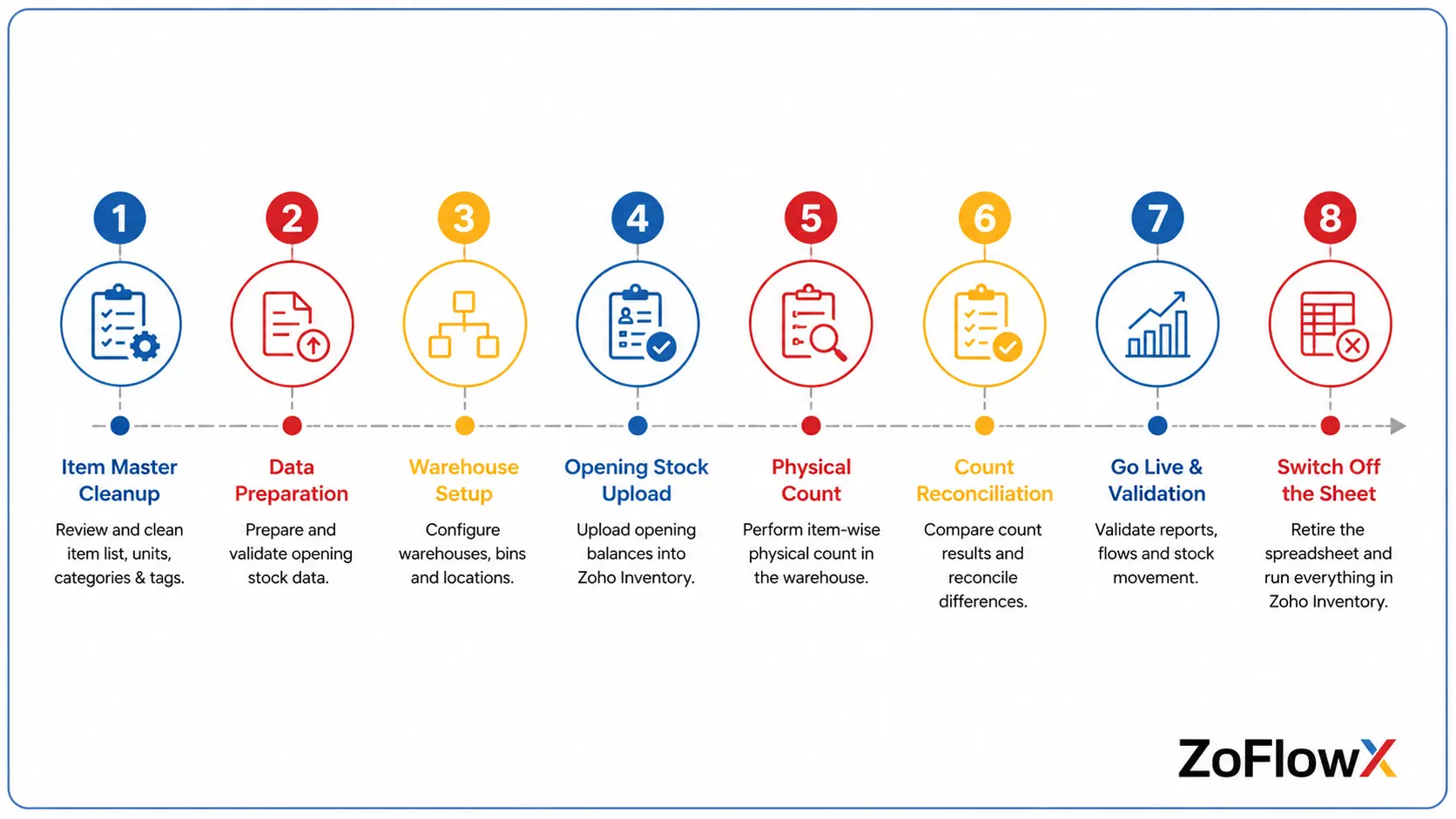
A straightforward switch from Excel to Zoho Inventory takes two to six weeks. Most of that time goes into cleaning the item master and agreeing opening stock, not into the software setup itself. Historic spreadsheets are kept as an archive, while opening balances are brought in as of a chosen cut-off date.
Here is the sequence that works:
- Clean the item master. One row per item, unique SKU codes, consistent units of measure. This step decides how smooth everything else is.
- Pick a cut-off date. Usually a month end. Everything before it stays in the archive, everything after it lives in Zoho.
- Do a physical count. Migrate real numbers, not sheet numbers. This is your one chance to start clean.
- Import masters. Items, customers, suppliers, price lists, warehouses.
- Load opening stock as of the cut-off date.
- Set reorder levels and roles. Decide who can do what.
- Run parallel for two to four weeks. Keep the sheet updated alongside until the team trusts the system.
- Switch the sheet off. Properly off, not "just in case".
According to ZoFlowX, step three is the one clients most want to skip and the one that causes the most pain when skipped. Migrating wrong numbers just moves the problem into a nicer interface.
What Usually Goes Wrong During This Move?
The three most common problems are duplicate or inconsistent item codes, migrating unverified stock figures, and skipping team training so people quietly keep using the old sheet. All three are avoidable with a short planning phase before any data is touched.
Messy item codes. Bolt-10mm, BOLT 10MM and Bolt10 are the same part in your head and three different items in any system. Fix this before you import, not after.
Unverified opening stock. If the count is not physical, your new system starts life inaccurate and people lose faith in week two.
No training, so the sheet survives. If one storekeeper keeps a private copy, you now run two systems and trust neither. Set a firm date and stick to it.
Trying to move everything at once. Bring in stock and orders first. Add barcode scanning, batch tracking and ecommerce links once the basics are steady.
What Does Life Look Like Six Months Later?
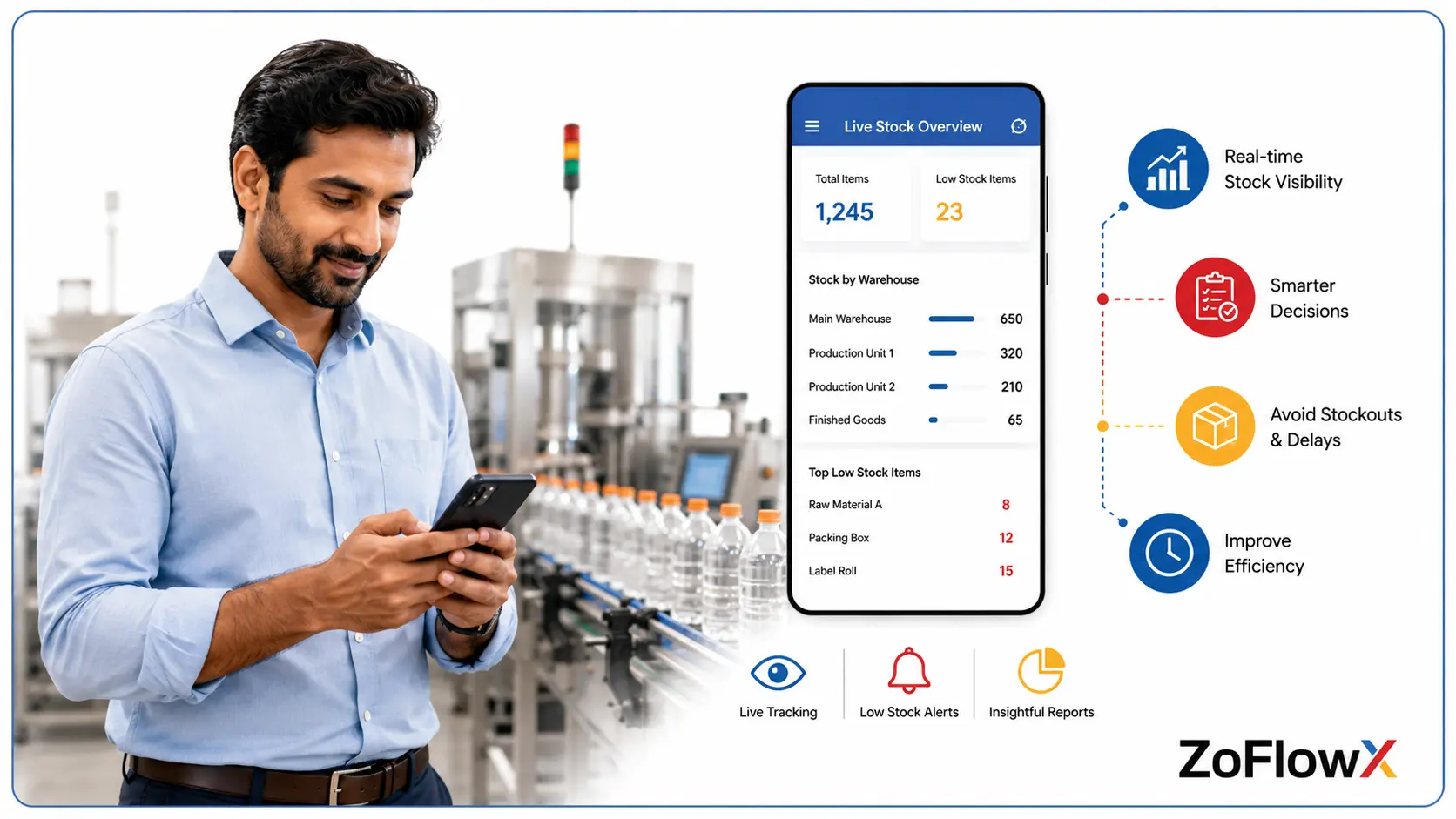
Six months after a well-run migration, most manufacturers report that physical counts match the system, stock admin time drops sharply, emergency purchases become rare, and questions about stock value or item movement get answered in seconds instead of hours.
The change people notice most is not the software. It is that arguments about stock stop happening.
Nobody asks "which file is the latest one" because there is only one. The storekeeper scans, the system updates, and the owner sees it from home if they want to.
A real scenario: A small electricals manufacturer with two units used to spend the first three working days of every month reconciling stock before closing accounts. After moving across, that reconciliation became a one hour review, because the numbers were already correct.
Making the Call on Your Stock System
Going from Spreadsheets to Zoho Inventory is not about chasing technology. It is about whether your business can afford to keep guessing at stock numbers while it grows.
If you have one location, few items and one person, stay on your sheet and put the money elsewhere. If you have multiple godowns, batch traceability, production consumption or more than one person updating records, the spreadsheet is already costing you more than the software would.
Not sure which side of that line you sit on? We do this every month for manufacturers across Tamil Nadu and beyond. As a Zoho Authorized Partner, ZoFlowX will look at your item count, locations and order volume and tell you plainly whether it is worth moving yet, which plan fits, and what your data needs before migration. Call +91 8190009222 or email info@zoflowx.com and we will respond within 24 hours with a straight answer, not a sales pitch.
Every Month You Delay, Your Spreadsheet Is Quietly Losing You Money
Book a free stock health check and find out exactly how much your current system is costing you before your next stockout does the maths for you.
Get My Free Stock Health CheckCommon Questions About Moving Off Spreadsheets
Is Zoho Inventory difficult to learn after years of using Excel?
No, most storekeepers pick up the daily tasks within a week. The screens follow familiar business documents such as purchase orders, goods receipts and delivery challans, so you are recording things you already do rather than learning new concepts. The bigger adjustment is behavioural, since people must stop editing balances directly and start recording transactions instead. A short training session usually settles this.
Can I import my existing Excel stock data into Zoho Inventory?
Yes, Zoho Inventory imports items, customers, suppliers and opening stock directly from Excel or CSV files. The import itself is quick. The real work is cleaning your data first, especially duplicate item codes and inconsistent units of measure. Always run a physical stock count before loading opening balances, so your new system starts with numbers you can actually trust from day one.
What happens to my old spreadsheets after the migration?
Keep them as a read-only archive, stored safely with the cut-off date clearly marked. You will not need them for daily work, but they remain useful for historical queries, audits and year-end comparisons. What you must avoid is letting anyone continue updating the old file alongside the new system. Two live sources of truth is worse than one imperfect one.
Does Zoho Inventory handle raw material to finished goods for manufacturers?
Yes, through composite items and bundling, Zoho Inventory can consume raw materials and produce finished goods, adjusting both stock levels automatically. This suits assembly and light manufacturing well. If your production involves complex multi-stage routing, work orders and shop floor scheduling, you may need Zoho Books or a dedicated manufacturing setup alongside it. A quick requirement review will tell you which fits.
How much does it cost to move from a spreadsheet to Zoho Inventory?
Software costs start at $29 per organisation per month on annual billing, with a free tier for very small operations. Implementation is separate and depends on data volume, number of locations and integrations needed. A simple single-location setup with clean data is quick and inexpensive. Multi-warehouse setups with batch tracking and accounting integration take longer and cost more. Confirm current rates on Zoho's pricing page.
Can multiple people use Zoho Inventory at the same time?
Yes, and this is one of the clearest advantages over a shared spreadsheet. Multiple users work simultaneously with defined roles, so a storekeeper can record receipts while accounts raises invoices without anyone overwriting anyone else. Every action is logged against a document and a user. Plan tiers include different user counts, so check that limit against your team size before subscribing.
Will I lose stock history when I switch systems?
No, but history stays in your archived spreadsheet rather than moving across. Zoho Inventory starts fresh from your chosen cut-off date with verified opening balances, then builds complete history from that point forward. Trying to import years of past transactions usually creates more errors than value. Most manufacturers find that after two or three months, they never reference the old data again.
How do I know if my business is ready for this upgrade yet?
Check three things: how many storage locations you have, how many people update stock records, and whether your physical count matches your sheet. If you have more than one location, more than one person touching records, or regular count mismatches, you are ready. A single person managing under 50 items in one place can reasonably stay on a spreadsheet for now.