Apple Intelligence and Zoho Books: The Future of AI-Powered Business Accounting
- Apple Intelligence Zoho Books means you can run everyday accounting using your voice, your camera and plain English.
- You can create invoices, record expenses and scan business cards with far less typing.
- It works on Apple Intelligence features-supported devices running iOS 27, iPadOS 27 or macOS 27.
- The software is only half the story. A proper setup is what makes it truly useful.
Apple Intelligence Zoho Books is a set of smart features that lets you handle accounting with your voice, your camera and simple sentences. It works on supported Apple devices, and it cuts down typing and clicking.
Let's be honest. Accounting has a lot of boring work. Typing customer details. Pulling reports. Chasing approvals.
That's where AI in accounting starts to help. With iOS 27, iPadOS 27 and macOS 27, Zoho Books now works with Apple Intelligence to make these daily jobs feel lighter.
What's New in Zoho Books AI Features with Apple Intelligence?
Here's what you can actually do now.
Ask for Reports in Plain English
Pulling a report used to mean picking filters and date ranges. Now you can just ask, like "Show me last quarter's sales."
It makes financial reporting automation feel natural, even if you're not an accountant.
Scan a Business Card and Skip the Typing
Met a new client at an event? Scan their card. AI reads the contact details and helps create a new customer, or matches an existing one.
No more retyping names, emails and phone numbers.
Use Siri Voice Commands for Accounting Tasks
With Siri voice commands, you can create invoices, record expenses, find customer information and approve transactions.
It's handy when you're travelling between client visits or your hands are full.
Adaptive Layouts Across iPhone, iPad and Mac
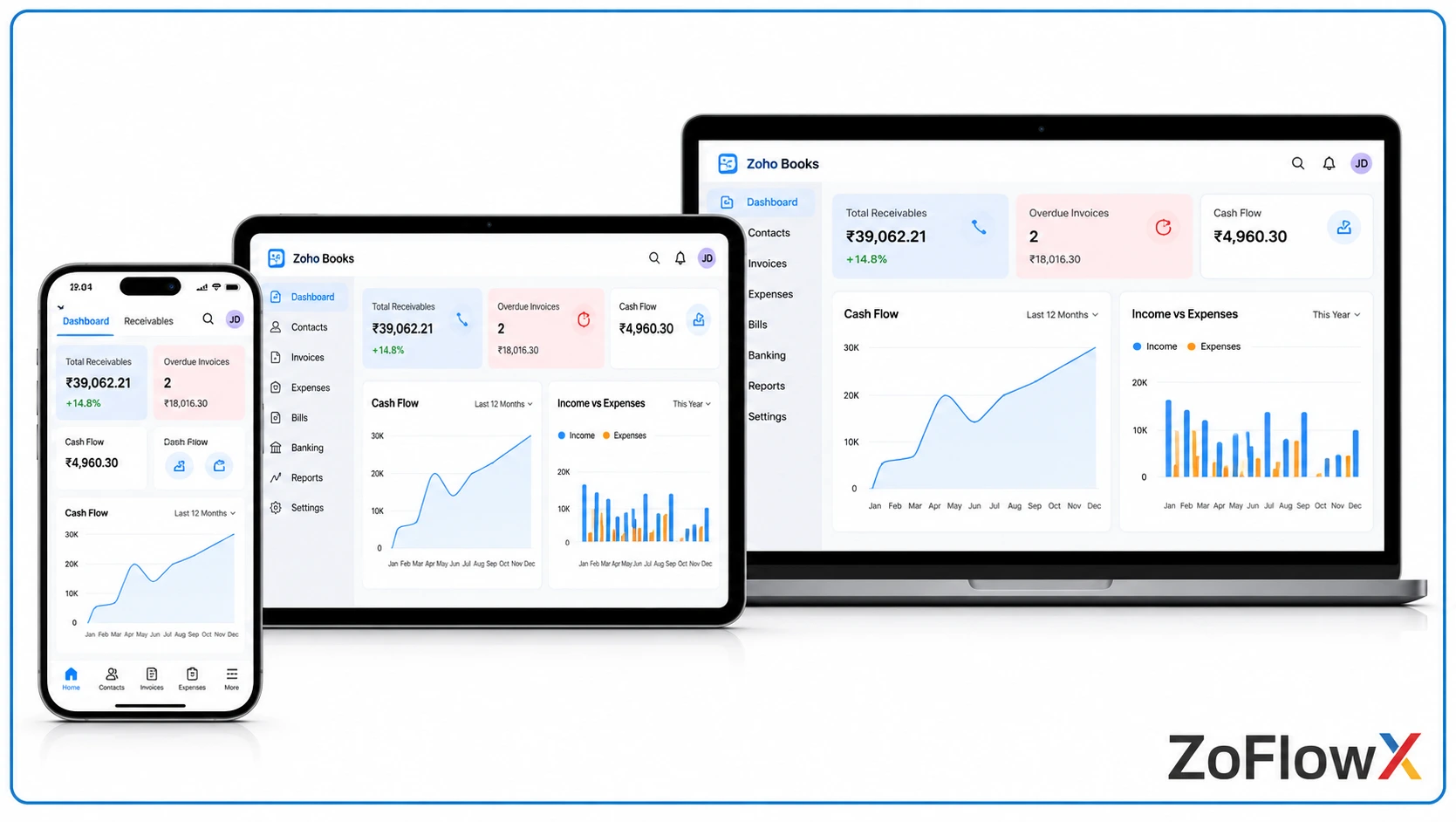
Zoho Books now adjusts to your screen size. Whether you're on iPhone, iPad or Mac, everything fits and feels familiar.
Extra-Large Invoice Widget
Add the widget to your Home Screen. You can view invoice transactions and apply filters without opening the app.
A quick glance shows you where your invoices stand.
How Apple Intelligence Makes Accounting Easier for Businesses
Apple Intelligence makes accounting easier by cutting manual work. You get faster access to reports, quicker customer entry, simple voice-based transaction handling and easy invoice tracking. Together, these save time every day and help finance teams focus on decisions instead of data entry.
Here's how that plays out in real life:
- Faster answers. Ask for a report instead of digging for it.
- Less data entry. Scanning a card means fewer typing mistakes too.
- Easier transactions. Approve or record things from wherever you are.
- Clearer invoice tracking. The widget keeps invoices in front of you.
- Better productivity. Small time savings add up quickly over a week.
This is why Apple Intelligence Zoho Books matters for growing teams. It removes small frictions that nobody notices until they're gone.
What Businesses Should Know Before Using These Features
Before you get excited, check these basics:
- A device that supports Apple Intelligence
- iOS 27, iPadOS 27 or macOS 27
- The latest Zoho Books app
- Regional and language availability
These features are built for supported Apple devices. They are not available across Android and Windows.
Is Your Business Getting the Most Out of Zoho Books?
Here's the thing. Having great accounting software doesn't mean your finances run smoothly.
Many businesses struggle with the same things:
- Accounting settings that don't match how the business works
- Apps that don't talk to each other
- Repeating the same financial tasks again and again
- Approvals that live in emails and chats
- Teams that never explore new features
New AI features are great. But they work best when your foundation is right.
Set Up Zoho Books the Way Your Business Actually Works
Every business runs differently. Your invoicing, approvals and reporting won’t look like anyone else’s.
That’s why ZoFlowX starts with your process, not a template. As a Zoho partner, we shape Zoho Books around how your team already works, using the wider Zoho suite.
- Setup and Customisation: We configure your chart of accounts, taxes and workflows to match your accounting needs.
- Automation and Integration: We automate supported financial workflows and connect Zoho Books with Zoho CRM, Zoho Inventory and more. That’s real Zoho Books automation in action.
- Training and Support: We help your team learn the platform and use its features with confidence.
To be clear, the Apple Intelligence features come through the Apple and Zoho ecosystem. ZoFlowX helps you adopt and get more from Zoho Books. You can read more about our Zoho Books setup and support
Make Your Business Accounting Smarter with Zoho Books
Apple Intelligence makes everyday accounting simpler. Reports, invoices, customer details and approvals all take fewer steps.
Now is a good time to look at your current accounting process. What's slow? What's repeated? What could be automated?
If you'd like to talk it through, call us on +91 8190009222, write to info@zoflowx.com, or simply book a meeting. We'll help you get the most from Apple Intelligence Zoho Books and your wider Zoho setup.
Ready to Make Zoho Books Work Harder for You?
Tell us how your team handles accounting today. We'll show you what a smarter setup could look like.
Book a MeetingFrequently Asked Questions
1. What is Apple Intelligence in Zoho Books?
Apple Intelligence in Zoho Books is a set of AI features that work on supported Apple devices running iOS 27, iPadOS 27 or macOS 27. It helps you ask for reports in plain language, scan business cards, use Siri for accounting tasks and view invoices from a widget. The goal is simple: less manual work and faster everyday accounting for your team.
2. What are the new Zoho Books AI features?
The new Zoho Books AI features include natural language reports, business card scanning, Siri voice commands, adaptive layouts across iPhone, iPad and Mac, and an extra-large invoice widget. Each one removes a small manual step. Together, they help business owners and finance teams get information faster and spend less time typing data. You can try them on supported Apple devices after updating the app.
3. Can I create invoices with Siri in Zoho Books?
Yes, you can create invoices with Siri on supported Apple devices. You speak the details, and Siri helps record them in Zoho Books. You can also use voice for supported tasks like recording expenses, finding customer information and approving transactions. Availability depends on your device, software version, region and language, so check these before relying on it.
4. How does business card scanning work in Zoho Books?
You scan a business card with your Apple device, and AI reads the contact details from it. Zoho Books then uses those details to create a new customer or match an existing one. This saves you from typing names, emails and phone numbers by hand, and it helps reduce small data entry mistakes. It's especially useful after events and client meetings.
5. Which devices support these features?
These features work on Apple Intelligence-supported devices running iOS 27, iPadOS 27 or macOS 27, with the latest Zoho Books app installed. They are tied to Apple's ecosystem, so they are not available on Android or Windows. Regional and language availability can also vary, so it's smart to check Apple's and Zoho's latest details before rolling them out to your team.
6. Does Zoho Books automation work without Apple Intelligence?
Yes. Zoho Books automation works on its own, whichever device you use. You can automate recurring invoices, payment reminders and approvals, and connect Zoho Books with tools like Zoho CRM and Zoho Inventory. Apple Intelligence simply adds a smarter, more natural way to use Zoho Books on supported Apple devices. A good setup makes both work better together.